 HydroNode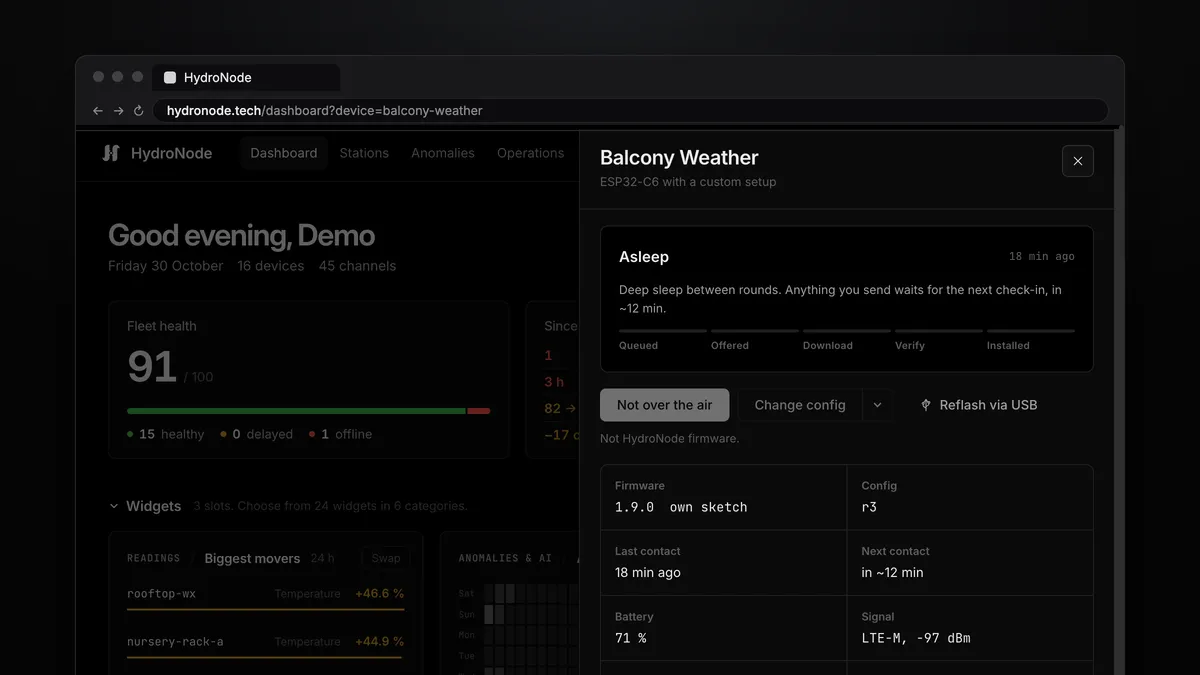
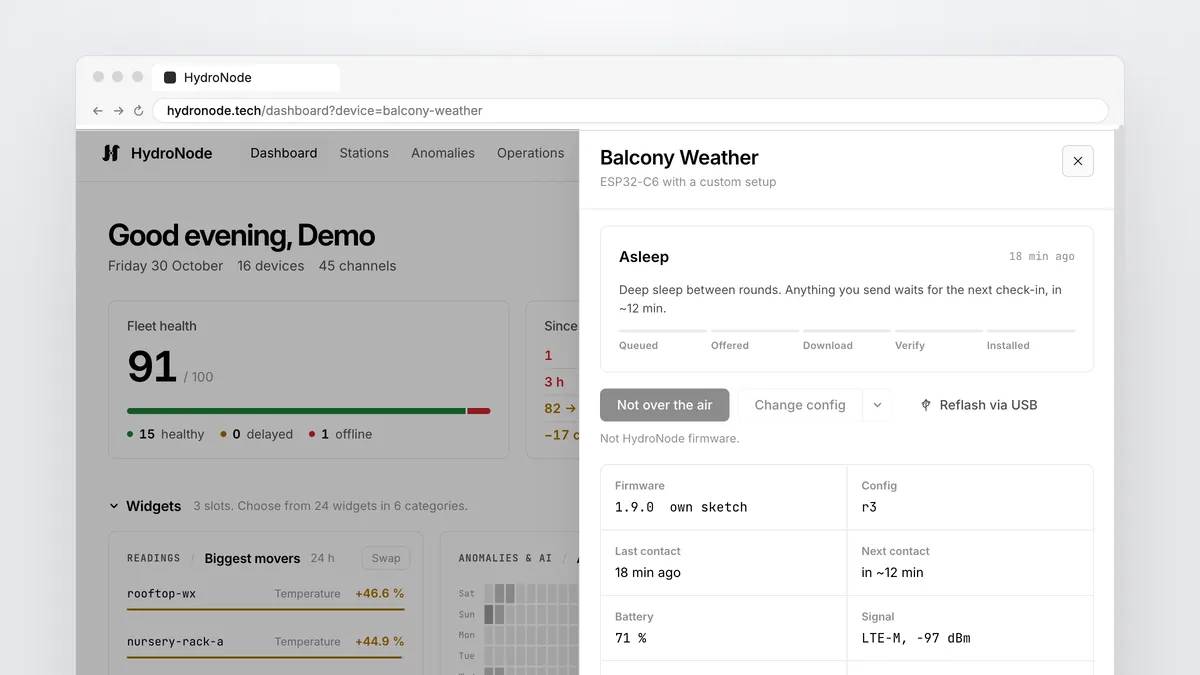
Not every sensor sits within reach of a router. The field, the allotment, the weather mast on the barn roof. From version 1.9.0 the HydroNode Arduino library therefore connects an ESP32 not only over WiFi but also over Ethernet, LTE-M, NB-IoT and LTE Cat-1, if you like with WiFi first and cellular as the fallback. On top comes a buffer: readings are no longer lost when the network is gone, and a battery device can collect for an hour and then send everything at once.
The idea: the network is a part of its own
The signature of every request does not depend on WiFi. It covers the values and the time, however the bytes travel. In 1.9.0 the network is therefore an object of its own, the transport. You pick the one for your hardware and keep the rest of the sketch: values, commands, battery thresholds, updates.
// Before: WiFi built in
HydroNode hydro(SENSOR_ID, SECRET_KEY);

// Since 1.9.0: the network is its own object, the rest stays the same
HydroNodeWiFi wifi;                                  // HOW the board reaches the internet
HydroNodeClient hydro(wifi, SENSOR_ID, SECRET_KEY); // WHAT it sends| Network | Hardware | Example in the library |
|---|---|---|
| WiFi | Every ESP32 and ESP8266 | QuickStart, Transport_WiFi |
| Ethernet | ESP32 with a port (WT32-ETH01, Olimex ESP32-POE) | Ethernet_ESP32 |
| Ethernet | W5500 module on SPI, any board | Ethernet_W5500 |
| LTE-M, NB-IoT | SIM7080G, SIM7000, BG95, SARA-R4 | Cellular_SendNow, Cellular_CollectHourly |
| LTE Cat-1 | A7670, SIM7600, TLS in the modem | Cellular_ModemTLS |
| WiFi, else LTE-M | ESP32 with a modem | WiFi_Fallback_LTE |
| Any TLS client | UNO R4 WiFi, MKR, Nano 33 IoT, Pico W | Board_MKR_WiFi1010, Board_AnyClient_Template |
HydroNode hydro(id, secret) is now the client with WiFi built in. Every sketch written for 1.x compiles and behaves as before. Only what you include is compiled: a WiFi-only sketch grows by about 2 KB, modem code only ends up in sketches that include HydroNodeCellular.h. LTE-M and NB-IoT
TinyGSM for the modem, ESP_SSLClient for TLS on the ESP32. Both in the Library Manager.TinyGSM drives the modem, ESP_SSLClient encrypts on the ESP32 and checks HydroNode's certificate against the bundled root certificates. The transport takes the time from the modem and reports the signal in dBm. LTE-M is faster and works on the move, NB-IoT reaches deeper into cellars and shafts.
#define TINY_GSM_MODEM_SIM7080
#include <TinyGsmClient.h>
#include <ESP_SSLClient.h>
#include <HydroNodeClient.h>
#include <HydroNodeCellular.h>
#include <HydroNodeCerts.h>

TinyGsm modem(Serial1);
TinyGsmClient tcp(modem);
ESP_SSLClient tls;                                   // TLS on the ESP32, any modem
HydroNodeCellular<TinyGsm> lte(modem, tls, HydroNodeNet::LTE_M);
HydroNodeClient hydro(lte, SENSOR_ID, SECRET_KEY);

void setup() {
  Serial1.begin(115200, SERIAL_8N1, 4, 5);          // modem RX, TX
  tls.setClient(&tcp);
  tls.setCACert(HYDRONODE_CA_BUNDLE);
  lte.onBeforeConnect([](uint32_t now) { tls.setX509Time(now); });
  hydro.setHttpTimeout(30000);                       // radio round trips take longer

  modem.init();
  modem.setPreferredMode(1);                         // 1 LTE-M, 2 NB-IoT
  modem.waitForNetwork(180000L);
  modem.gprsConnect("iot.1nce.net");                 // the APN of your SIM
}

void loop() {
  HydroNodeValue reading[] = {{"TEMPERATURE", 14.2}, {"HUMIDITY", 81}};
  hydro.sendValues(reading, 2);
  delay(5UL * 60UL * 1000UL);
} On the Dashboard the device then shows LTE-M, -97 dBm under Signal instead of a WiFi strength.
Collect and send once an hour
On a battery the modem is the biggest consumer. Registering and TLS cost the same for one value as for ten. So the example Cellular_CollectHourly measures every six minutes, puts the round into RTC memory and sleeps again. Only on the tenth time does the modem come on and send every round in one request.
- Every 6 minMeasure, record(), sleep
- 10 roundsOr the oldest is 1 h old
- flush()Modem on, one request
- 202Each reading at its own time
RTC_DATA_ATTR uint8_t mem[4096];                     // survives deep sleep
HydroNodeBuffer buffer(mem, sizeof(mem));

void setup() {
  // modem, TLS and hydro as above
  buffer.begin();                                    // keeps the rounds of the last wake-ups
  hydro.attachBuffer(buffer);

  HydroNodeValue reading[] = {{"TEMPERATURE", readTemp()}, {"SOIL_MOISTURE", readSoil()}};
  hydro.record(reading, 2);                          // store, radio stays off

  if (hydro.flushDue(10, 3600) && modemUp()) {       // 10 stored, or the oldest is 1 h old
    hydro.flush();                                   // all of them, one request
    modemDown();
  }
  esp_deep_sleep(6ULL * 60 * 1000000);               // next reading in 6 minutes
}- Roughly 80 % less radio energy and a fraction of the data, about 1.5 KB instead of 10 KB an hour.
- HydroNode learns the rhythm from the deliveries. A device that sends hourly counts as delayed after three hours, not after 15 minutes.
- Commands from the app arrive with the hourly answer.
- If a send fails, the rounds stay in the buffer for up to seven days. When it is full, the oldest go first.
Never lose a reading again
The buffer helps plain WiFi devices too. Attached to the client, sendValues() stores a round that did not go out and returns -7. With the next request that works, the stored rounds follow. The router restarts, the internet is gone for an hour: nothing is missing in the chart.
static uint8_t mem[8192];                            // RAM, or save it to LittleFS
HydroNodeBuffer buffer(mem, sizeof(mem));

void setup() {
  buffer.begin();
  hydro.attachBuffer(buffer);                        // that is all
}

void loop() {
  int status = hydro.sendValues(reading, 2);         // -7 = stored, sent later
  delay(60000);
}
You decide where the buffer lives: in RAM, in the RTC memory of the ESP32 (survives deep sleep) or in flash (survives a power cut, see Buffer_OfflineSafe). At start, buffer.begin() checks whether the content is intact and only then keeps it.
WiFi first, LTE as the fallback
A device at the edge of WiFi range, or one that must report when the router fails: HydroNodeFailover takes the first network that is up, per request. Once WiFi is back, requests go over it again and the modem can switch off.
HydroNodeWiFi wifi;
HydroNodeCellular<TinyGsm> lte(modem, tls, HydroNodeNet::LTE_M);
HydroNodeFailover net(wifi, lte);                    // WiFi while it is up, else LTE-M
HydroNodeClient hydro(net, SENSOR_ID, SECRET_KEY);
Where to go next
- Every transport, time source and buffer function is in the Arduino guide and in the 16 examples on GitHub.
- No Arduino? From a Raspberry Pi or a Pico W: sensor data from Python, MicroPython, Node.js and Go.
- On a battery, set the thresholds as well: A battery that lasts.