 HydroNode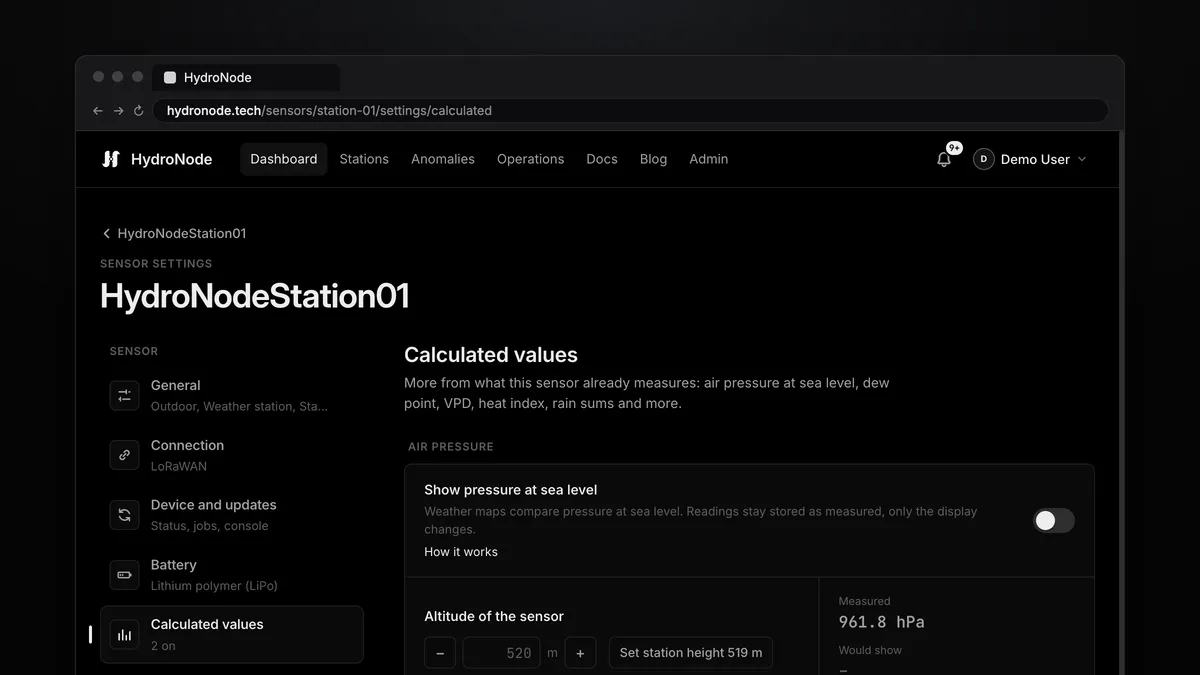
Your sensor measures temperature and humidity. What you actually want to know is often something else: whether the window is about to fog up, whether your plants transpire enough, or how much it rained in the last hour. All of that is already in the readings your device sends. HydroNode calculates dew point, VPD and more from them, without new hardware and without a single line of code on the device.
What HydroNode calculates
| Value | Needs | Good for |
|---|---|---|
| Dew point | Temperature, humidity | Above about 18 °C the air feels muggy. A surface colder than it fogs up. |
| Absolute humidity | Temperature, humidity | Grams of water per cubic metre. Shows whether airing really dries the room. |
| VPD | Temperature, humidity | How strongly the air pulls at the leaves. Most plants like 0.8 to 1.2 kPa. |
| Leaf VPD | Leaf temperature, temperature, humidity | More exact under lamps, with an infrared leaf sensor. |
| Heat index | Temperature, humidity | How hot humid air feels. |
| Wind chill | Temperature, wind | How cold it feels in the wind. |
| Feels like | Temperature, humidity, wind | All of it at once, for the shade. |
| Rain last hour, last 24 h | Rainfall | Totals that move with every rain reading. |
Turn it on
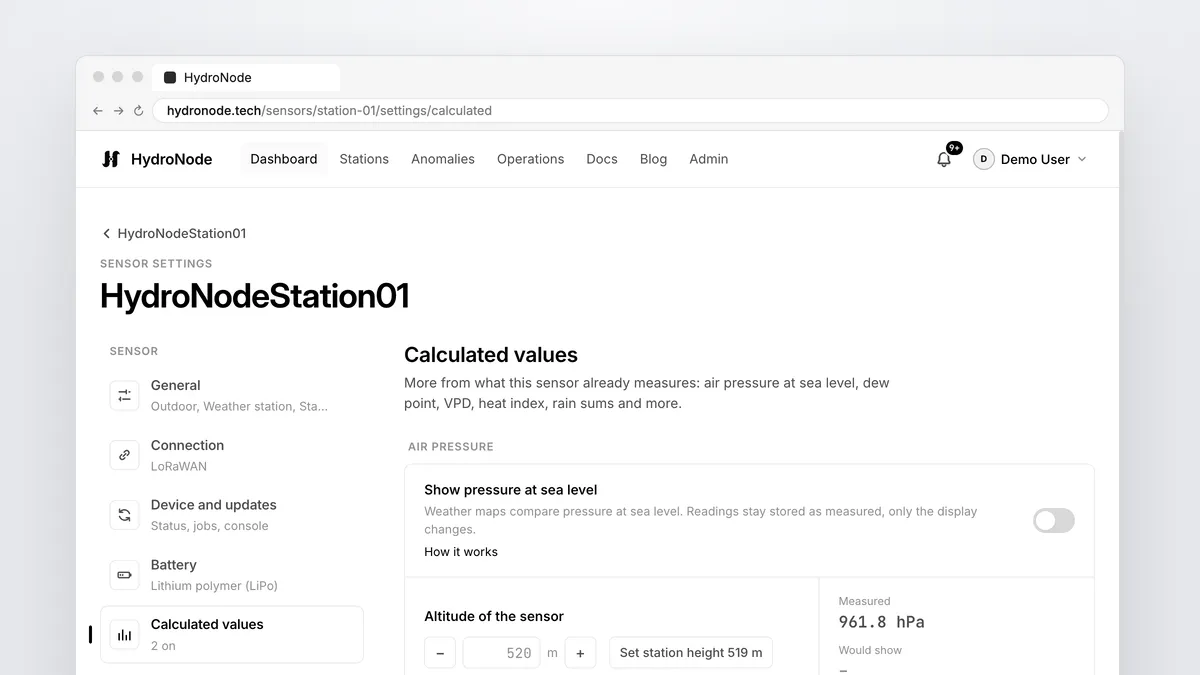
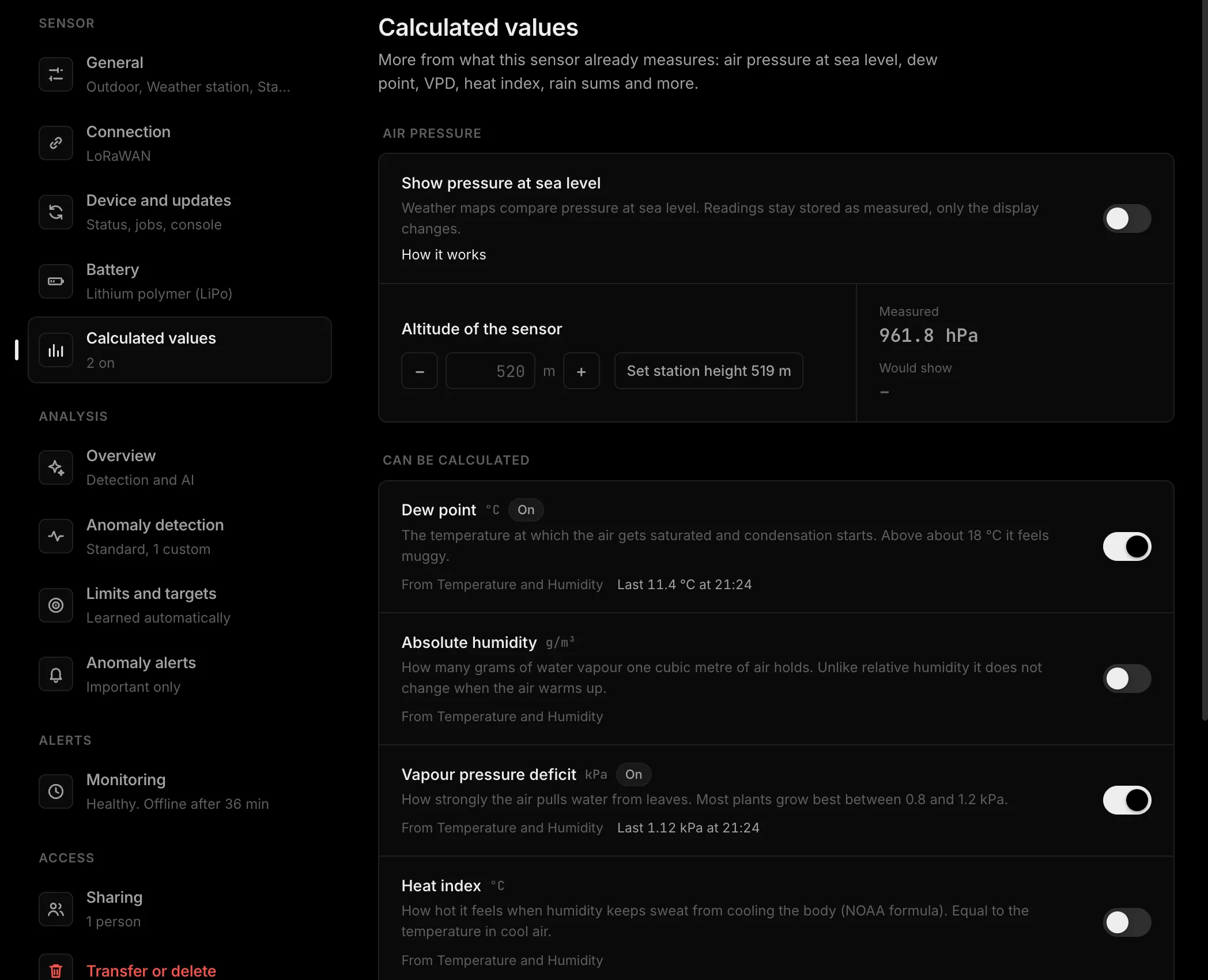
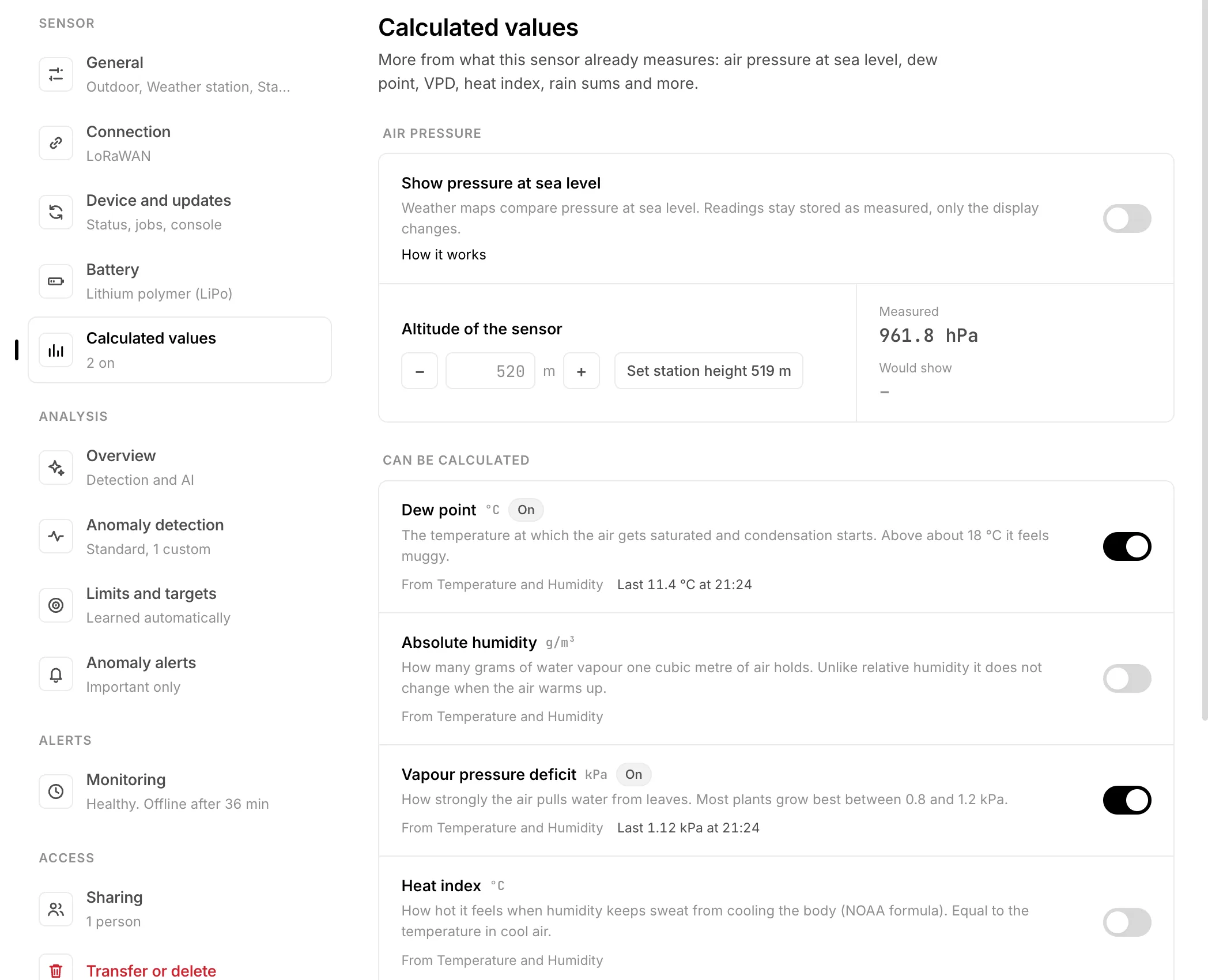
- Open the settingsOn the sensor page press Settings at the top right, then Calculated values under Sensor on the left.
- Read the listOn top, under Can be calculated, is what your sensor already gives, with the readings it comes from. Below, under Not possible yet, the rest: a tick on every reading your sensor sends, a dashed circle on the one it does not.
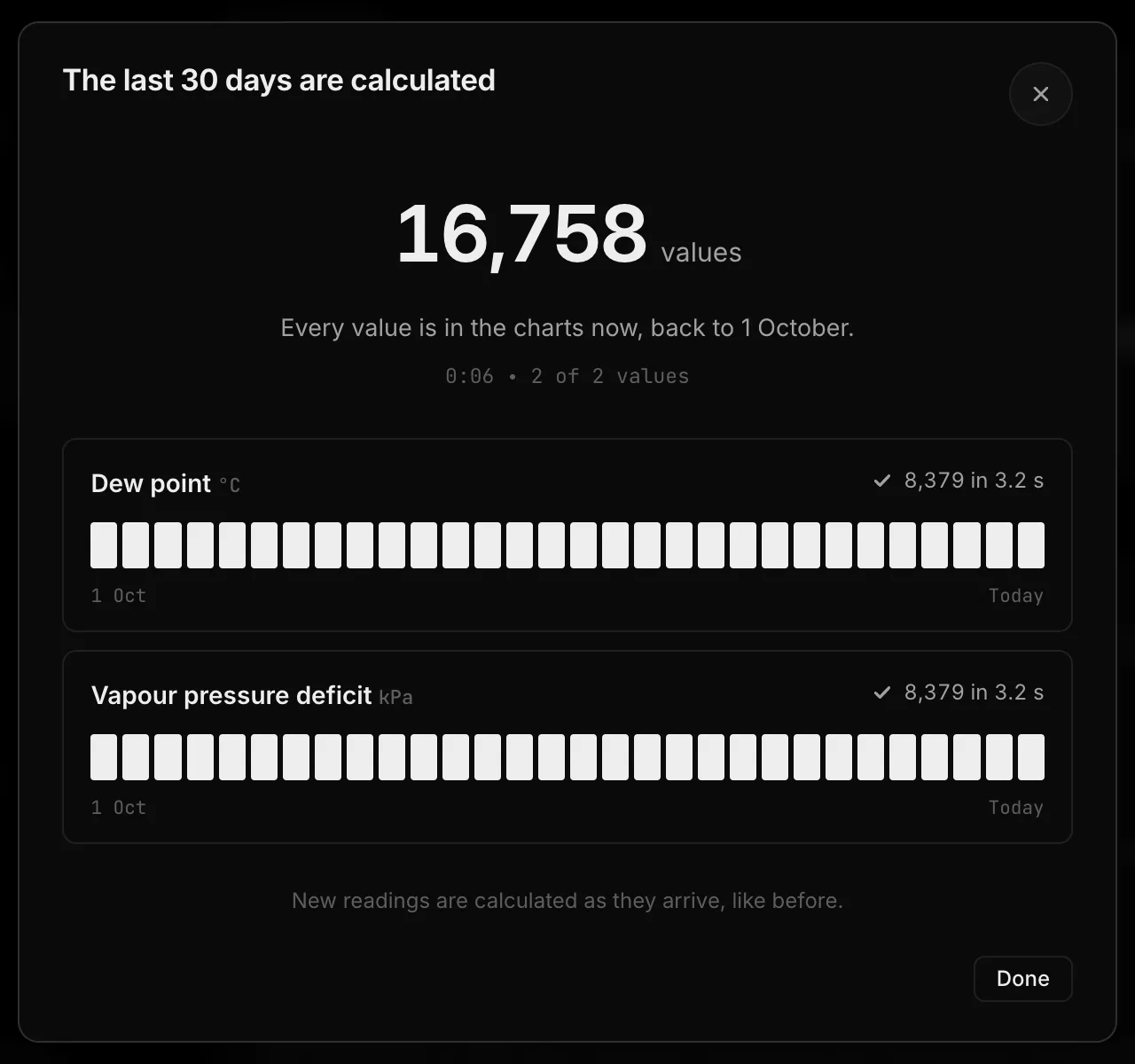
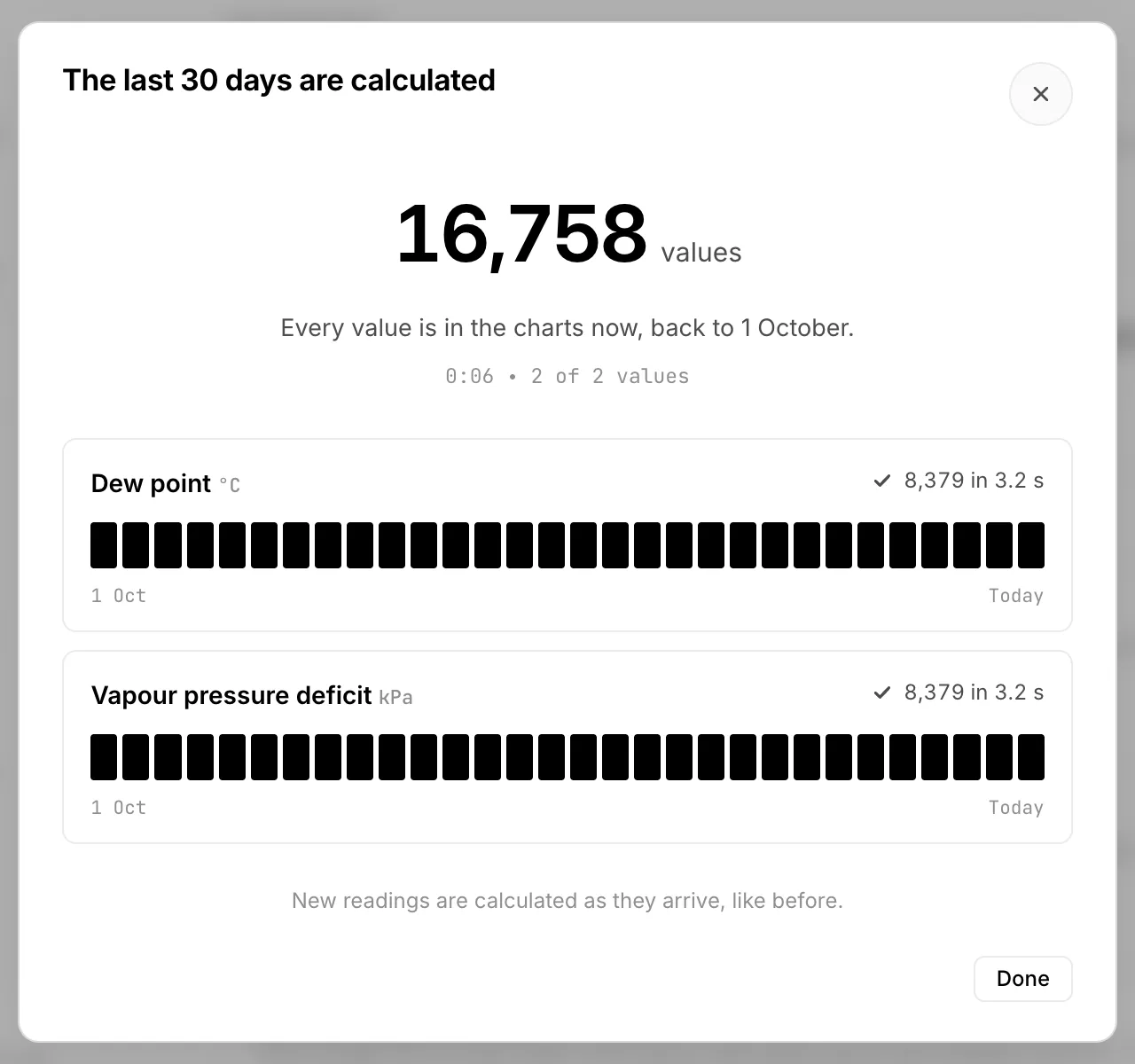
- Flip the switch and saveThe bar with Save changes shows at the bottom. HydroNode then calculates every new value for the last 30 days from the readings already stored, day by day, and shows you as it goes. From then on every reading brings a new value.
- ReadingTemperature and humidity arrive
- StoredLike every reading
- CalculatedDew point, VPD ...
- EverywhereChart, alerts, Home Assistant
Where the values show up
A calculated value gets its own line on the sensor, exactly like a reading from the device. That is why everything else works with it, without anything to set up:
Chart and DashboardIts own line on the sensor page, a live value in the device list.
Limits and alertsA VPD band of 0.8 to 1.2 kPa under Limits and targets, with a push when it is left.
AutomationsFan on when the dew point gets too close to the window temperature.
Home Assistant and widgetsA new entity with the next poll, one more value in the widget.
Rain and wind Rain totals, wind chill and feels like jump with every shower and gust. Anomaly detection does not judge them statistically, just like rain and wind themselves. Your own limits still apply.
How exactly it calculates
- For every new reading HydroNode takes the newest value of the other inputs, at most two minutes older. Readings of one round arrive together and always match. An old temperature is never paired with a new humidity.
- Both readings of a round lead to the same result, and it is stored once.
- Readings a device buffered and sent later are calculated with the time they were measured.
- Switching a value on calculates the last 30 days too, never further back than the sensor keeps its readings (how long that is). The past raises no alerts and runs no automations.
- If your device measures a value itself, HydroNode does not calculate it again. It is then listed below with “This sensor measures it itself”.
- Every calculated value takes one of the 30 value slots of a sensor. Turning it off stops new values; the ones so far stay in the chart.
The formulas with their sources (Magnus, FAO 56, NOAA, Environment Canada, Bureau of Meteorology) are in the Feature Guide.
Where to go next
- Set a target range for the VPD: Anomalies without the noise explains Limits and targets.
- No humidity sensor yet? A BME280 on an ESP32 is enough, see Your first ESP32 sensor.
- A station in the field without WiFi sends its rain readings over LTE-M: ESP32 over LTE-M, NB-IoT and Ethernet.