 HydroNode
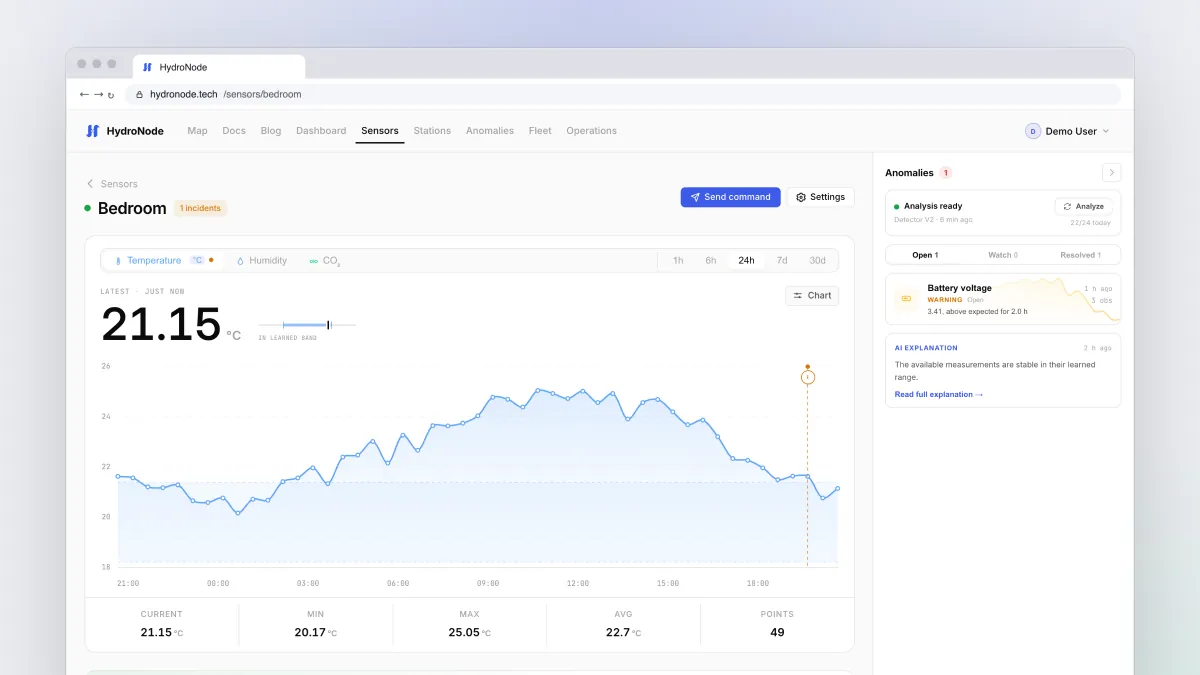
Your device already runs ESPHome and should keep doing so. Then you need no new firmware, just one more component in your YAML. It sends the values of the sensors you already have to HydroNode, signed, and takes commands from the app.
Requirements
Credentials in secrets.yaml
Put the credentials into secrets.yaml next to your device YAML. This file stays out of Git.
wifi_ssid: "YOUR_WIFI_SSID"
wifi_password: "YOUR_WIFI_PASSWORD"

hydronode_sensor_id: "your-sensor-id"
hydronode_device_secret: "your-secret-key"
The configuration
Three things are new: the external component, http_request and a time source, because every signature carries a timestamp. Under measurements you map each ESPHome sensor, by its id, to a HydroNode type.
esphome:
  name: greenhouse-climate

esp32:
  board: esp32-c3-devkitm-1
  framework:
    type: esp-idf

wifi:
  ssid: !secret wifi_ssid
  password: !secret wifi_password

logger:

external_components:
  - source:
      type: git
      url: https://github.com/TexhFexLabs/hydronode-esphome
      ref: v0.4.0
    components: [hydronode]

# Signatures carry a timestamp, so HTTP and time are both required
http_request:
  id: hydronode_http
  timeout: 10s
  verify_ssl: true

time:
  - platform: sntp
    id: hydronode_time
    timezone: UTC

i2c:
  sda: GPIO6
  scl: GPIO7

sensor:
  - platform: bme280_i2c
    address: 0x76
    temperature:
      id: air_temperature
      name: Air Temperature
    humidity:
      id: air_humidity
      name: Air Humidity
    pressure:
      id: air_pressure
      name: Air Pressure
    update_interval: 30s

hydronode:
  id: hydronode_cloud
  sensor_id: !secret hydronode_sensor_id
  device_secret: !secret hydronode_device_secret
  update_interval: 60s
  measurements:
    - source: air_temperature
      type: TEMPERATURE
    - source: air_humidity
      type: HUMIDITY
    - source: air_pressure
type: PRESSURE- Pin the version
ref: v0.4.0keeps your build from changing underneath you. Useref: mainfor testing only. - Pick the typesType names are upper case letters, digits and underscores. Common ones:
TEMPERATURE,HUMIDITY,PRESSURE,CO2,PM25,SOIL_MOISTURE. The full list is in the type reference. - Set the interval
update_intervalis at least 10 seconds. HydroNode accepts one value per type every 10 seconds. - FlashAs usual with
esphome run greenhouse-climate.yamlor from the ESPHome dashboard.
Check that it arrives
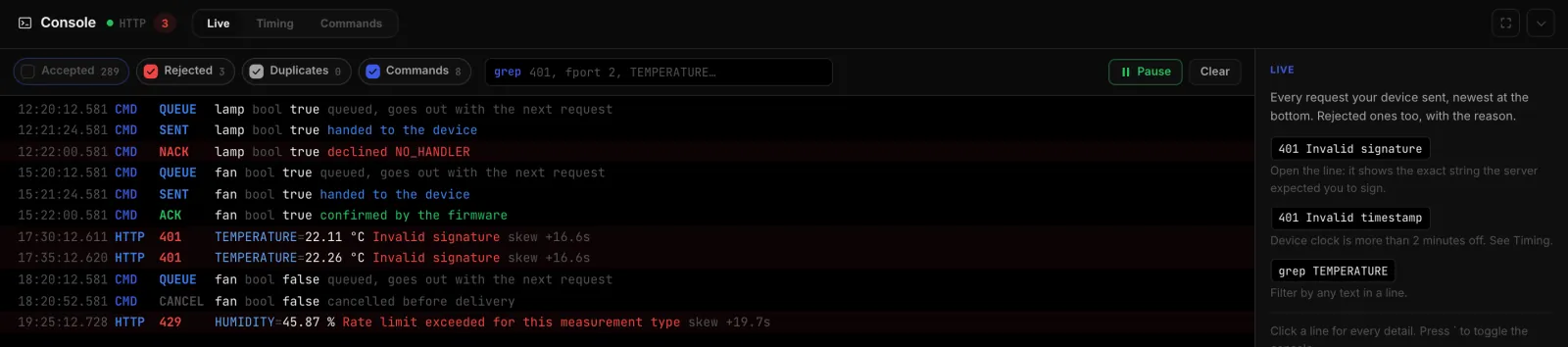
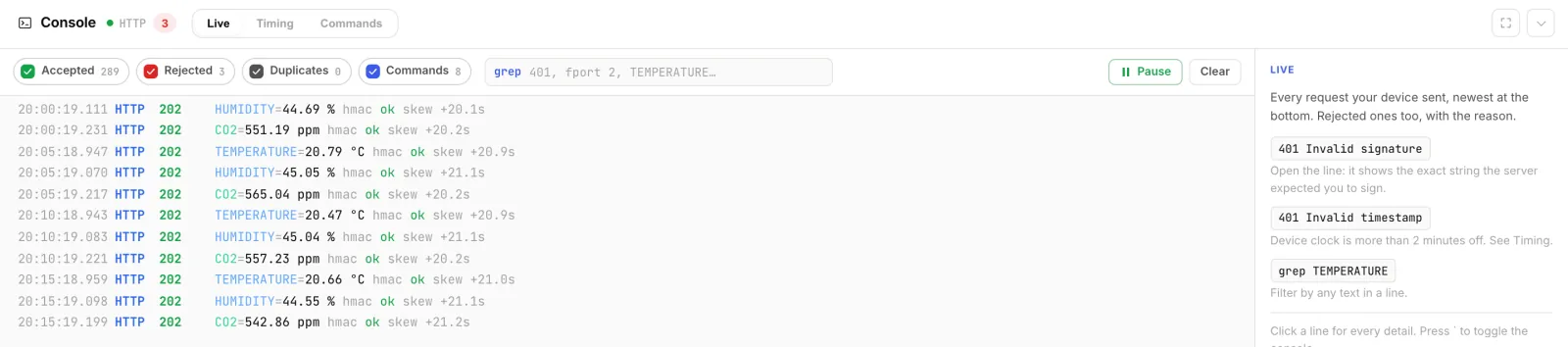
After each upload the ESPHome log shows a line with HTTP 202. In HydroNode, open the sensor page and press `. The console shows every request with its signature check and clock offset. If nothing arrives, the Rejected filter tells you why.
TEMPERATUR therefore creates a new measurement instead of an error. Glance at the channel list on the sensor page after the first upload. Commands from the app
A commands block declares which commands the device understands. When name and type match, the command is confirmed and passed to on_command. Otherwise the component declines it and the app shows the reason: NO_HANDLER, TYPE_MISMATCH or INVALID_VALUE.
switch:
  - platform: gpio
    id: fan_relay
    name: Fan
    pin: GPIO5

hydronode:
  # credentials and measurements as above
  commands:
    - name: fan
      type: BOOL
  on_command:
    - if:
        condition:
          lambda: 'return command == "fan" && value_json == "true";'
        then:
          - switch.turn_on: fan_relay
        else:
          - switch.turn_off: fan_relay
Inside on_command you get command, value_json and type. Send the command from the sensor page with Send command, or type fan:bool true in the console.
What Fleet knows about ESPHome devices
From version 0.4.0 the component reports the chip, restarts, the reason of the last reset and the WiFi signal with every request. Fleet therefore lists the device as ESPHome, with its state and error rate. ESPHome does its own updates over the air; HydroNode never sends firmware to these devices.
Where to go next
- The Device Builder can generate this YAML for you too, with pins and types already filled in.
- Bring your values back into Home Assistant: HydroNode in Home Assistant.
- Every option of the component is documented on GitHub.