 HydroNode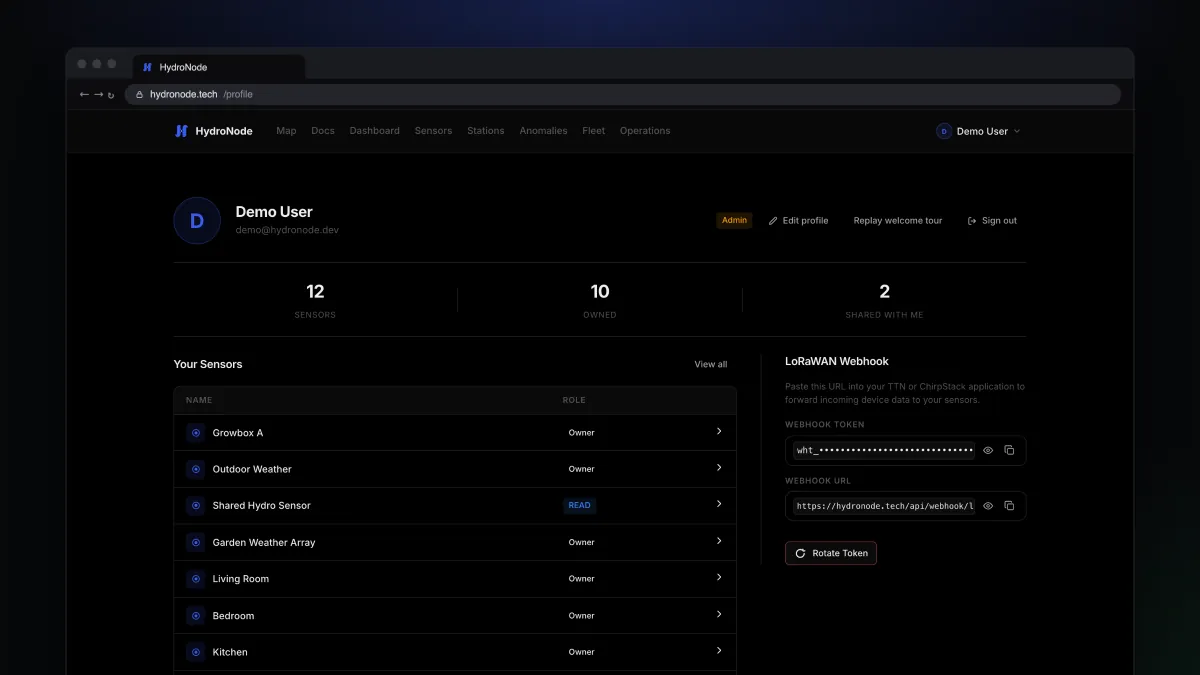
HydroNode collects, Home Assistant acts. With the integration every HydroNode sensor becomes a native entity, with history, long-term statistics and live updates over WebSocket. Anomalies and AI analyses arrive as events your automations can react to.
How it fits together
- HydroNodeReadings, incidents, analyses
- Token hat_Full access, revocable
- WebSocket pushLive, REST as fallback
- Entities and eventsReady for automations
Create a token in HydroNode
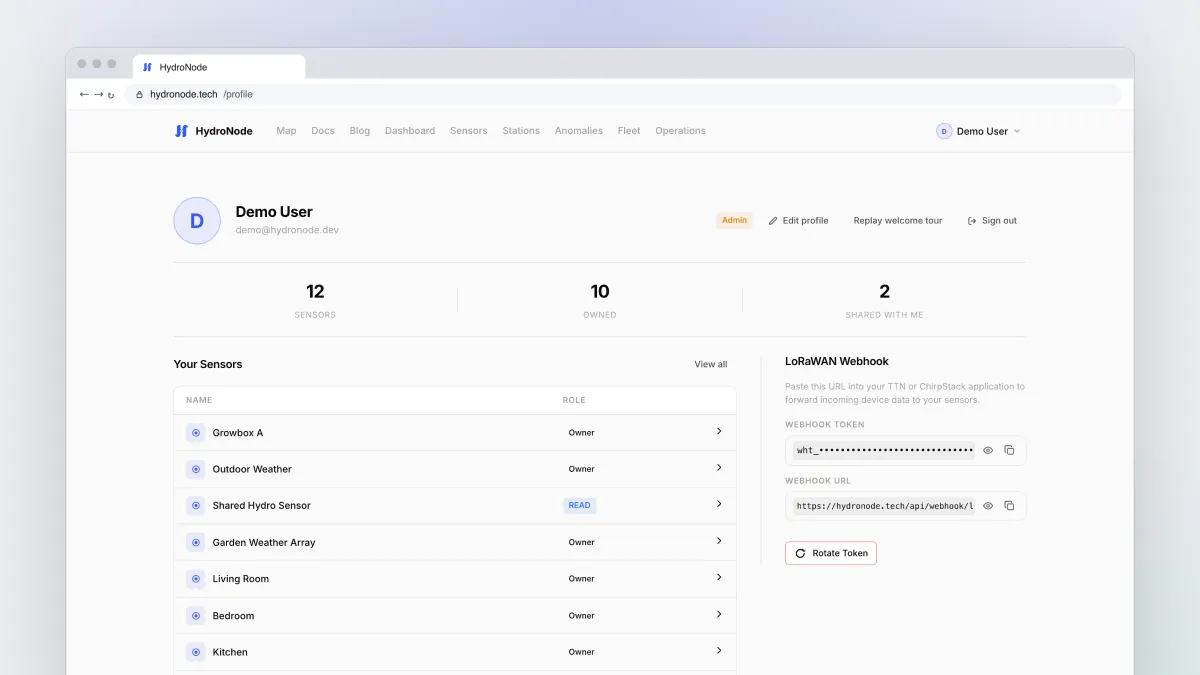
The integration does not sign in with your password but with a personal access token.
- Open your profileClick your name at the top right, then Profile.
- Create a tokenScroll to API Tokens and press Create Token.
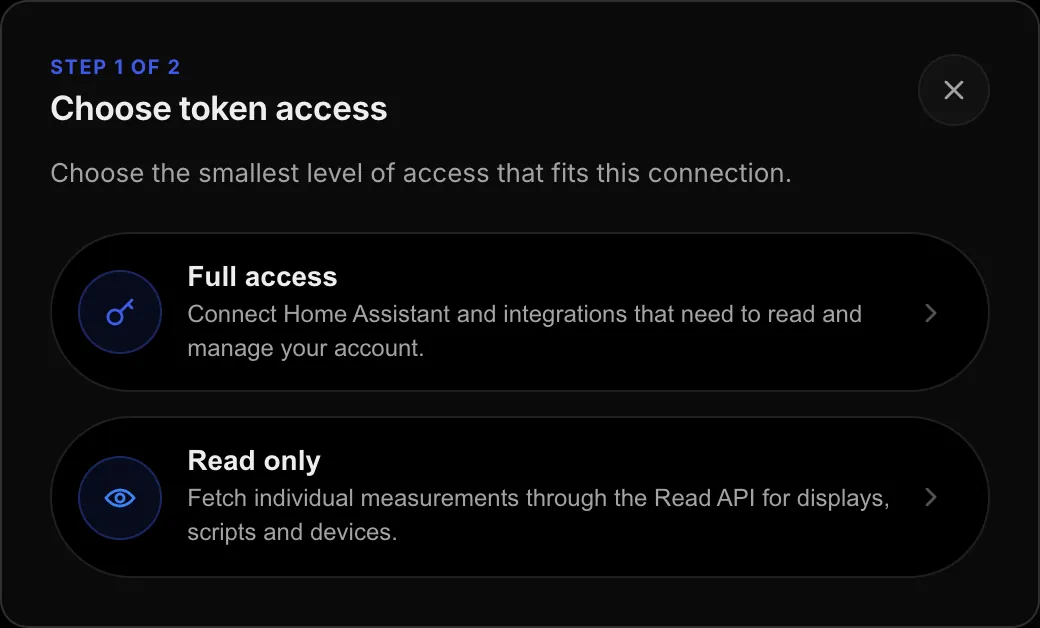
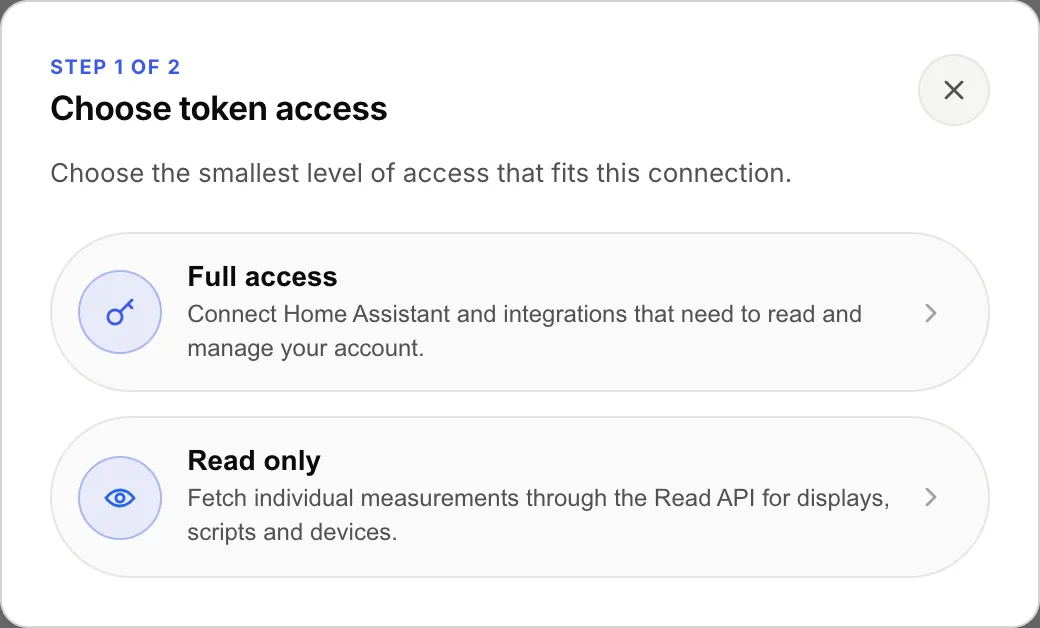
- Choose full accessFull access is the right kind for Home Assistant. Read only is for displays and scripts that only read single values.
- Name it and copy itFor example
Home Assistant. The token starts withhat_and is shown exactly once, so copy it right away.
Install the integration
- Search in HACSOpen HACS in Home Assistant, search for
HydroNodeand download it. - RestartRestart Home Assistant once.
- Add the integrationSettingsDevices & servicesAdd integration, then pick
HydroNode. - Address and tokenKeep
https://hydronode.techas the base URL and paste the token. The integration checks it right away.
What you get
- One device per station, plus one device that collects the sensors without a station.
- One entity per sensor, measurement and channel, with the right device class and unit. History and long-term statistics work from the start.
- Your own, shared and followed stations. Followed public stations can be hidden in the options.
- New sensors show up by themselves, without setting the integration up again.
Two automations to start with
Ventilate when CO₂ rises
A plain automation on a HydroNode entity. Adjust the entity IDs to your names.
alias: Ventilate when the living room CO2 is high
triggers:
  - trigger: numeric_state
    entity_id: sensor.living_room_co2
    above: 1200
    for: "00:05:00"
actions:
  - action: switch.turn_on
    target:
      entity_id: switch.living_room_fan
React to anomalies
When HydroNode detects an anomaly or writes an AI analysis, the integration fires hydronode_anomaly and hydronode_ai_analysis, each with every current value of the sensor attached. Perfect for a phone notification or a red light in the hallway.
alias: Tell me about HydroNode anomalies
triggers:
  - trigger: event
    event_type: hydronode_anomaly
actions:
  - action: notify.mobile_app_my_phone
    data:
      title: HydroNode
      message: "{{ trigger.event.data }}"
Under SettingsDevices & servicesHydroNodeConfigure you can also fire a hydronode_value_updated event for every live update.
What HydroNode does and what Home Assistant does
HydroNode learns the normal range of every measurement, groups findings into incidents and sends you pushes even when your Home Assistant is down. Home Assistant is great at switching things in the house. Together, HydroNode notices and Home Assistant acts. How the detection works is in Anomalies without the noise.
Read more
- Your device already runs ESPHome? Send your ESPHome sensors to HydroNode.
- Source code and every option: hydronode-homeassistant on GitHub.