Calculated Values
HydroNode can work out more from the readings a sensor already sends: dew point and VPD from temperature and humidity, wind chill from temperature and wind, rain of the last hour from the rain gauge. Turn a value on and it is calculated from every new reading and stored like a measured one, so it shows up in charts, widgets, Home Assistant, limits and alerts. No new hardware, no change on the device.
What HydroNode can calculate
| Value | Needs | Unit | Good to know |
|---|---|---|---|
| Pressure at sea level | Air pressure, the altitude you enter | hPa | Comparable with weather maps. Only the display changes, readings stay as measured. |
| Dew point | Temperature, humidity | °C | Above about 18 °C the air feels muggy. Below the surface temperature of a window, it fogs up. |
| Absolute humidity | Temperature, humidity | g/m³ | Water in the air, independent of the temperature. Good to compare inside and outside before airing. |
| VPD | Temperature, humidity | kPa | How strongly the air pulls water from leaves. Most plants grow best between 0.8 and 1.2 kPa. |
| Leaf VPD | Leaf temperature, temperature, humidity | kPa | VPD at the leaf, from an infrared leaf sensor (type LEAF_TEMPERATURE). More exact under lamps. |
| Heat index | Temperature, humidity | °C | How hot it feels in humid air. Equal to the temperature below 21 °C. |
| Wind chill | Temperature, wind speed | °C | How cold it feels in the wind. Equal to the temperature above 10 °C or in calm air. |
| Feels like | Temperature, humidity, wind speed | °C | Apparent temperature in the shade, from all three at once. |
| Rain last hour | Rainfall | mm | Sum of the last 60 minutes, updated with every rain reading. |
| Rain last 24 hours | Rainfall | mm | Sum of the last 24 hours, updated with every rain reading. |
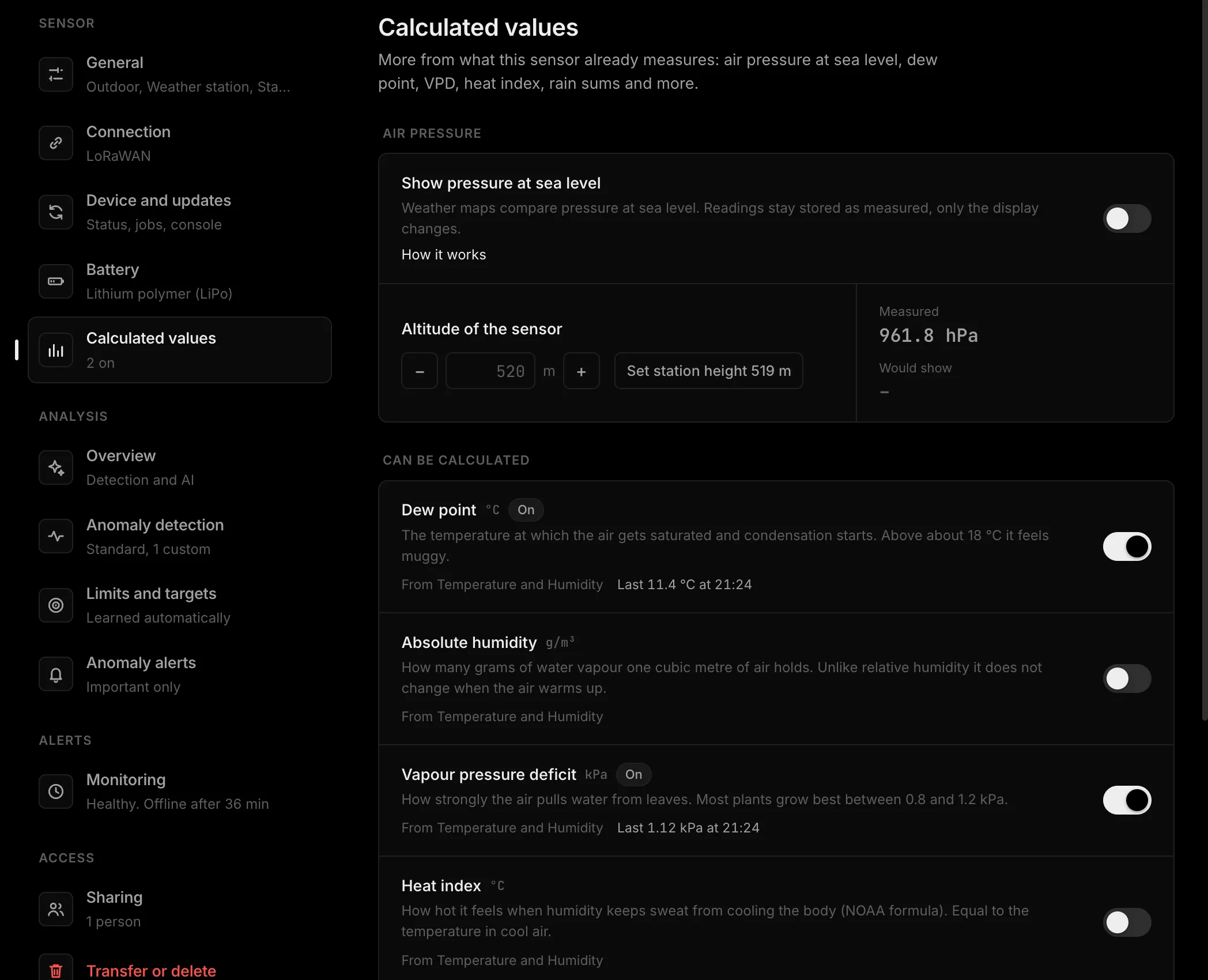
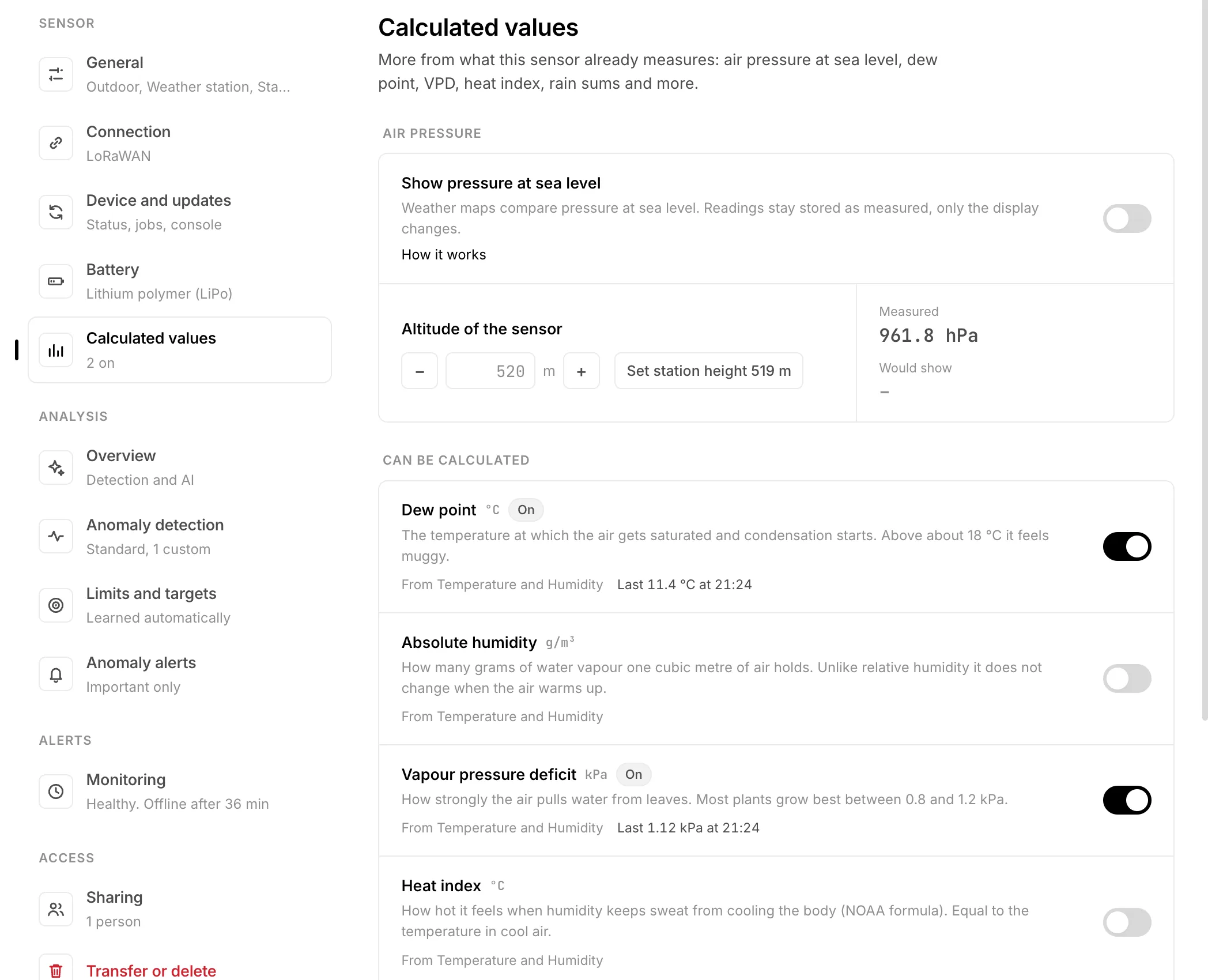
Pressure at sea level is different from the rest: it is not a new value but another way to show the pressure, so its switch moves every chart, the history included. It sits at the top of the page with the altitude field. Everything below is calculated from each new reading and stored as a value of its own.
A value counts as available when the sensor sends every reading it needs. Which sensor sends what does not matter: a BME280 over WiFi, a LoRaWAN node or a weather station all work the same.
Turn a value on
- 1Open the settingsOn the sensor page press Settings at the top right, then Calculated values under Sensor on the left. The entry shows how many are on. Air pressure at sea level comes first, then the two lists.
- 2Read the two listsCan be calculated holds every value the sensor has the readings for, with the readings it is made from. Not possible yet holds the rest, with a tick on each reading the sensor sends and a dashed mark on the one it does not.
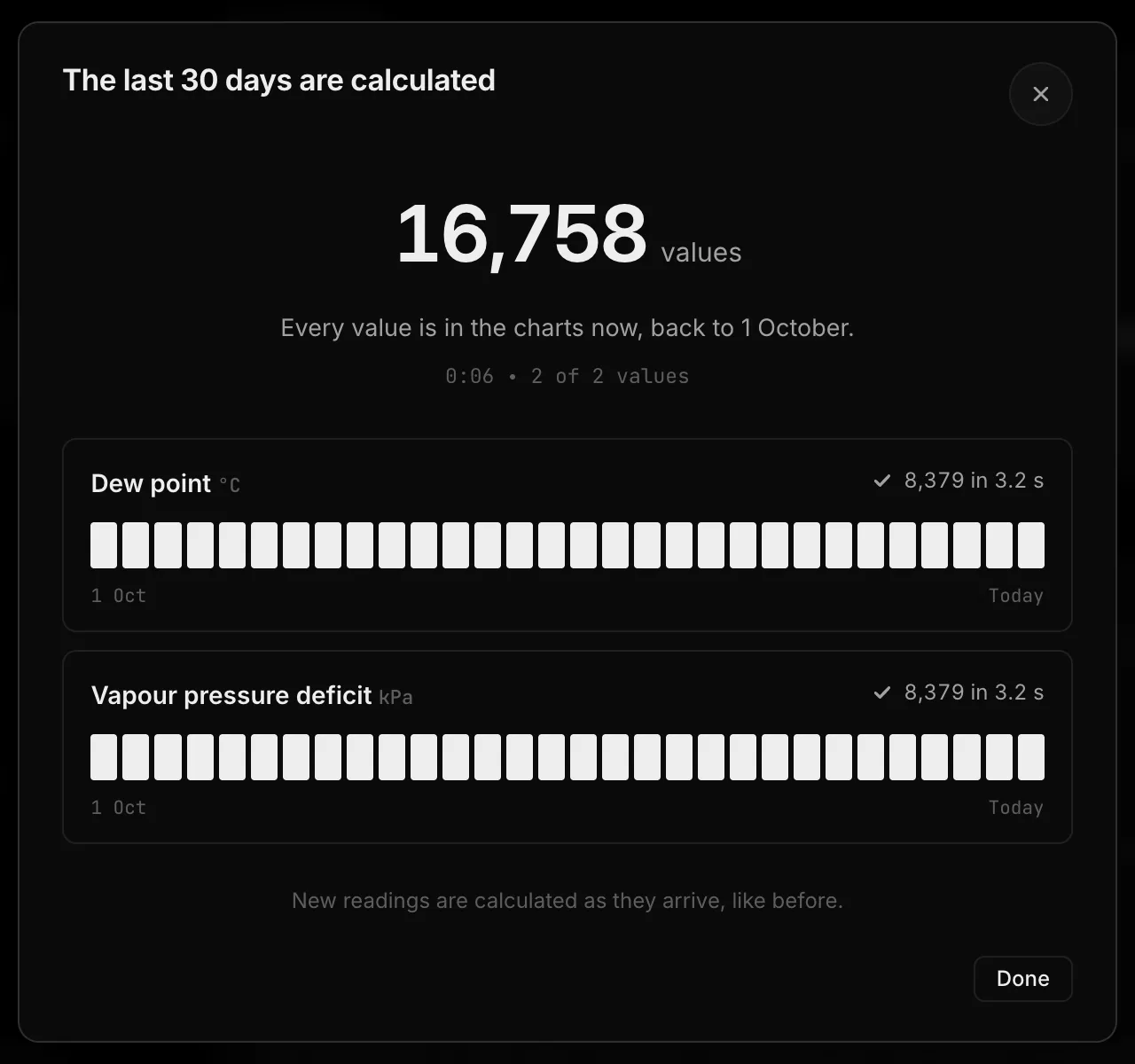
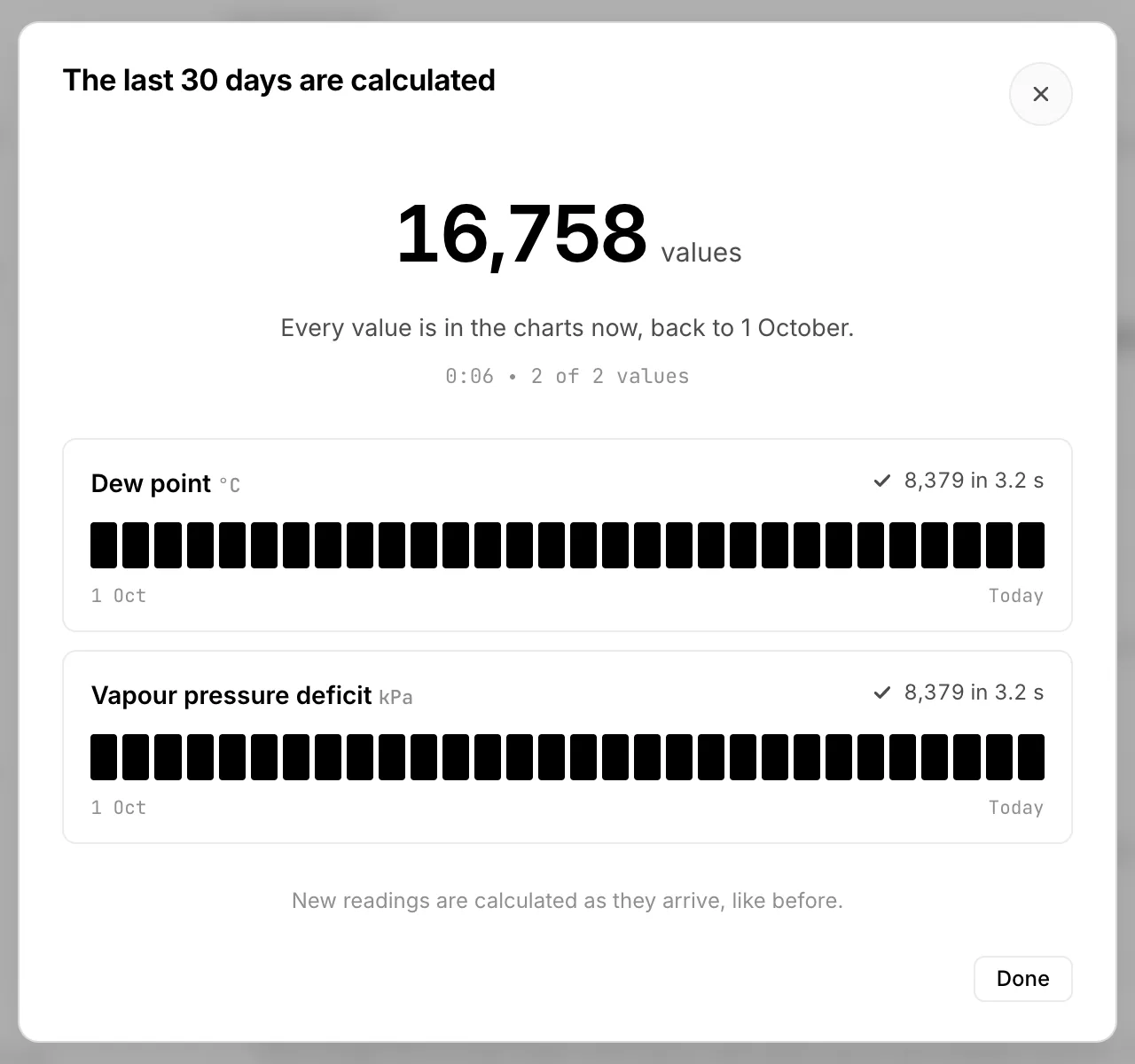
- 3Switch it on and saveSwitch on as many as you like, then press Save changes in the bar at the bottom. HydroNode then calculates each new value for the last 30 days from the readings already stored, one day after the other, and shows it as it goes. You can close that window: the calculation goes on. After that every new reading brings a new value.
The owner and people the sensor is shared with at Can manage switch values on and off. Everyone else who can see the sensor sees the list and the values.
Like a measured value
A calculated value gets its own line on the sensor, just like a reading the device sends. That is why everything else in HydroNode simply works with it:
- The chart on the sensor page and the live readings on the Dashboard.
- The widgets on the phone, with the other values of the sensor.
- Home Assistant: a new entity appears with the next poll.
- Limits and targets, for example a VPD band of 0.8 to 1.2 kPa with an alert outside it.
- Automations: a rule on the dew point can switch a fan before the glass fogs up.
- Weekly report and CSV export.
When a value is calculated
- Every time a reading the value needs is stored, HydroNode takes the newest reading of each other input, measured at most 2 minutes before. Readings of one round arrive together, so they always match. A temperature from the round before is never paired with a new humidity.
- The calculated value gets the time of the reading it came from. Both readings of a round lead to the same value, and it is stored once.
- Rain of the last hour and of the last 24 hours add up all rainfall readings of that time, ending at the new reading.
- Readings a device stored and sent later (a buffer, a cellular board that sends once an hour) are calculated with the time they were measured.
- Switching a value on calculates the last 30 days too, never further back than the sensor keeps its readings (Settings, General, Keep readings). Each value takes a few seconds, one day at a time, so the rest of HydroNode stays fast. Nothing about the past raises an alert or runs an automation.
- Turning a value off stops new ones. What was calculated so far stays in the chart.
What to keep in mind
| Case | What happens |
|---|---|
| The device sends the value itself | It is listed as Not possible yet with "This sensor measures it itself". HydroNode does not calculate a second, slightly different series. |
| Two temperature sensors on one device | The first one the sensor ever sent is used, and stays the same when you add another. The row names the readings it uses. |
| Value slots | Every calculated value takes one of the 30 value slots of a sensor. The page shows how many are in use. |
| The apps | Dew point, absolute humidity and heat index are known to every app version. VPD, leaf VPD, wind chill, feels like and the rain sums show their full name from the next app update on. |
Formulas
Inputs in °C, % relative humidity, m/s and mm. Results are rounded to two decimals, like the readings a device sends.
| Value | Formula | Source |
|---|---|---|
| Pressure at sea level | p · (1 − 0.0065·h / (T + 273.15 + 0.0065·h))^−5.257 (15 °C without temperature) | ISA standard atmosphere |
| Dew point | γ = ln(RH/100) + 17.62·T/(243.12+T); Td = 243.12·γ/(17.62−γ) | Magnus, Sonntag 1990 |
| Absolute humidity | 216.7 · 6.112·e^(17.67·T/(T+243.5)) · RH/100 / (273.15+T) | Vapour pressure and ideal gas law |
| VPD | es(T) · (1 − RH/100), es(T) = 0.6108·e^(17.27·T/(T+237.3)) | Tetens, FAO 56 |
| Leaf VPD | es(T_leaf) − es(T_air) · RH/100, at least 0 | Tetens, FAO 56 |
| Heat index | Rothfusz regression in °F with both NOAA adjustments, Steadman below 80 °F | NOAA National Weather Service |
| Wind chill | 13.12 + 0.6215·T − 11.37·V^0.16 + 0.3965·T·V^0.16 (V in km/h) | Environment Canada |
| Feels like | T + 0.33·e − 0.70·ws − 4.00, e = RH/100 · 6.105·e^(17.27·T/(237.7+T)) | Steadman 1994, Bureau of Meteorology |
| Rain sums | Σ rainfall over (t − 1 h, t] and (t − 24 h, t] | Sum of the readings |
What the values mean for plants, windows and walks in the rain: Calculate dew point and VPD from temperature and humidity.