 HydroNode
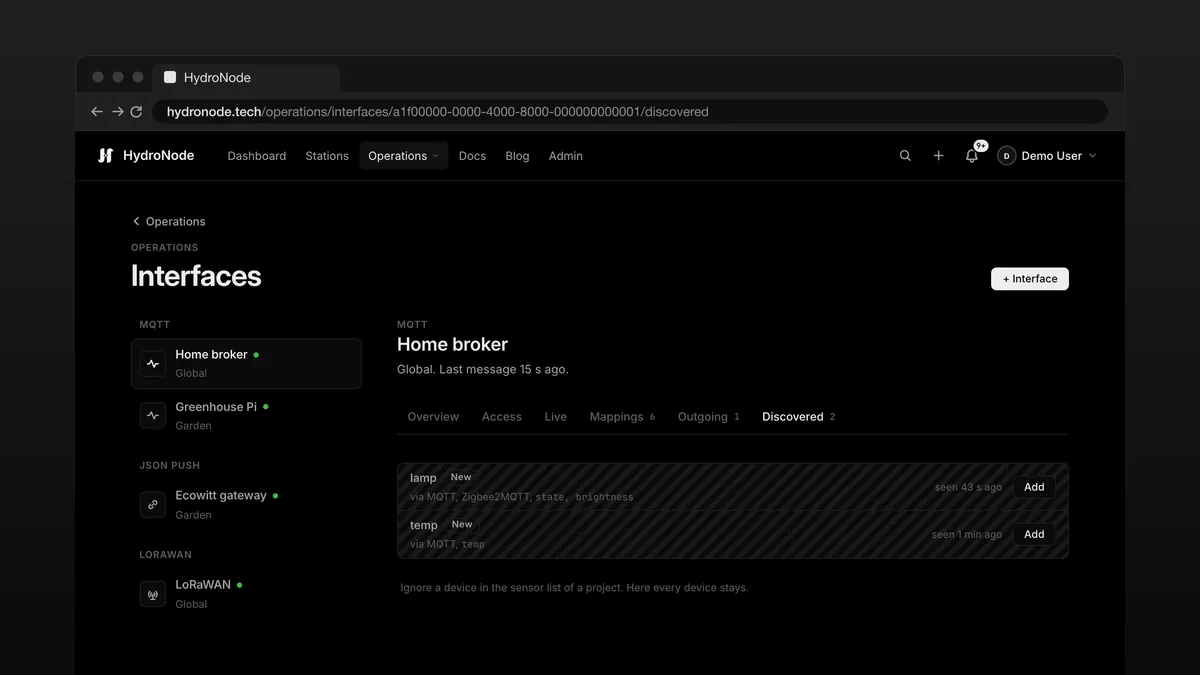
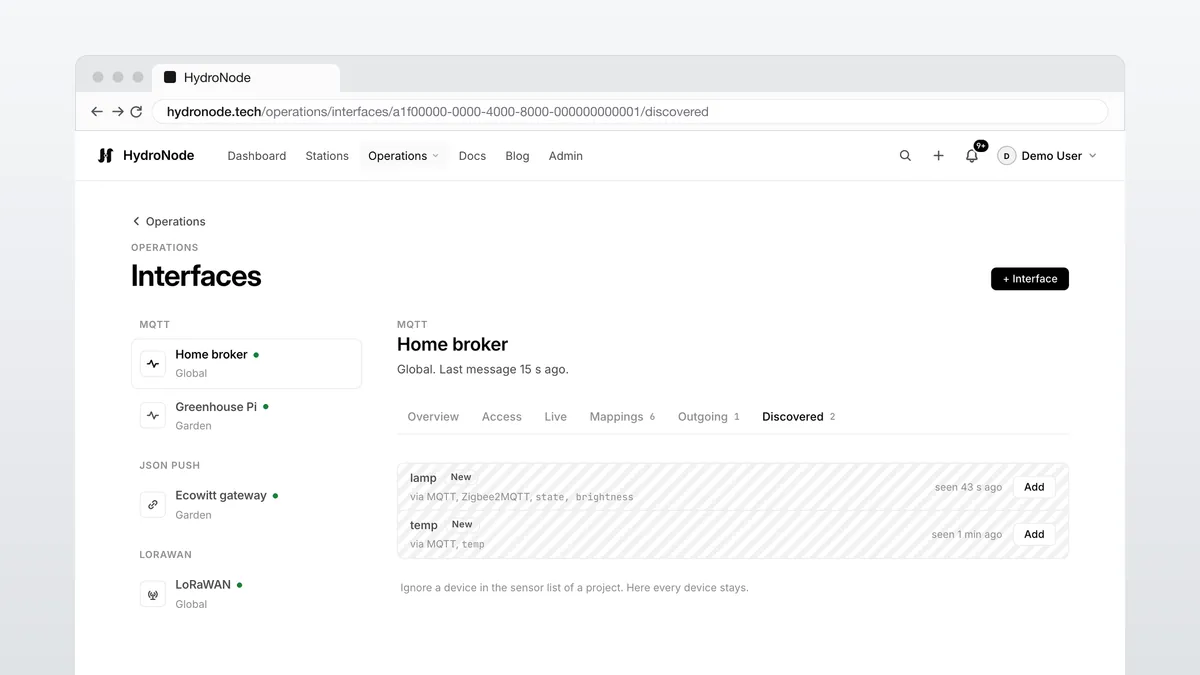
Not every device should get a HydroNode library. A Zigbee sensor speaks MQTT, a weather station posts form data, a LoRaWAN node goes through TTN. That is what interfaces are for: one access per way in, devices show up by themselves, and you add each one as a sensor with one click.
What an interface is
Everything is under OperationsInterfaces. An interface applies to all your projects or to one. Members with Manage in that project look after it too.
Zigbee2MQTT, Tasmota and Shelly
- Get a login+SensorMQTT adds an MQTT interface and shows the username and secret once.
- Connect the deviceEnter host, port 8883 and the login, and put the topic area in front of the base topic. Already running Mosquitto? Use the block under Bridge for your broker.
- AddRecognised devices show up greyed at the top of the sensor list and under Discovered. Press Add, pick the pool and the values, done.
Known switches can be switched right away: Zigbee2MQTT state, Tasmota POWER, first generation Shelly relays and Home Assistant switches with a command topic. HydroNode shows the new state as waiting until the device reports it.
JSON push without a signature
A weather station with the Ecowitt protocol, Node-RED or a script posts to the push URL. Several devices on one URL are told apart by the Device field, such as PASSKEY. After the first post, Live shows every field with a suggested type and unit, and you add the device.
curl -X POST https://hydronode.tech/api/ingest/v1/push/hpi_… \
  -H 'Content-Type: application/json' \
  -d '{"temp": 21.4, "hum": 55}'
LoRaWAN without adding it first
An uplink with an unknown DevEUI is no longer refused. It lands under Discovered with network, fPort, bytes and signal, never as a reading. Press Add, then set its payload format. Downlinks now belong to the interface: a key entered for one interface never reaches devices of another.
A message for new devices
When a device shows up for the first time you get one message per interface that counts up, “3 new devices on Home broker”, with a push in the apps that support it. It goes to the owner and, for a project interface, to everyone with Manage.
Where to go next
- Everything about interfaces: Interfaces and discovered devices.
- Step by step: MQTT and JSON push.
- Projects and switches: Projects, data pools and controls.