MQTT
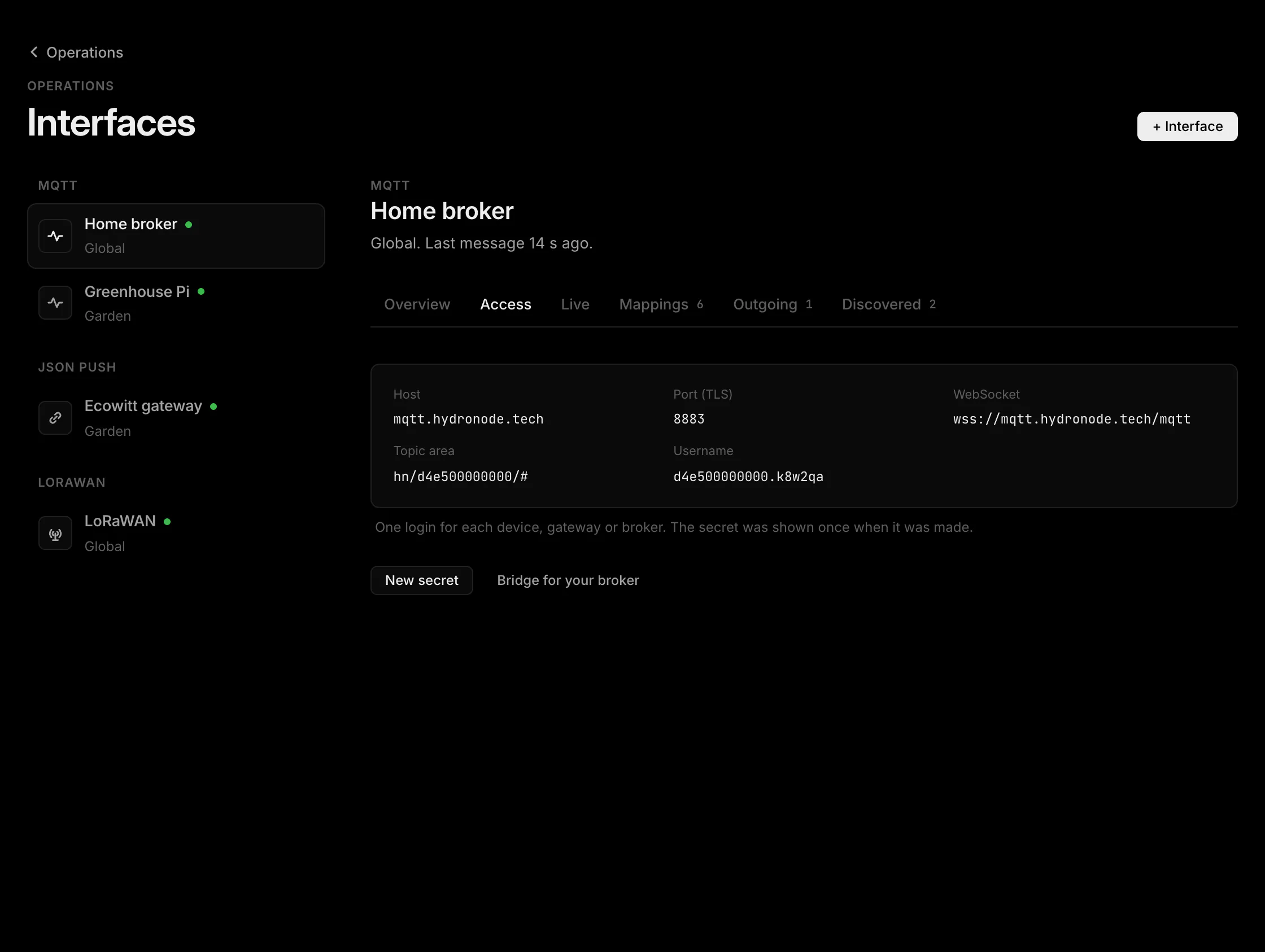
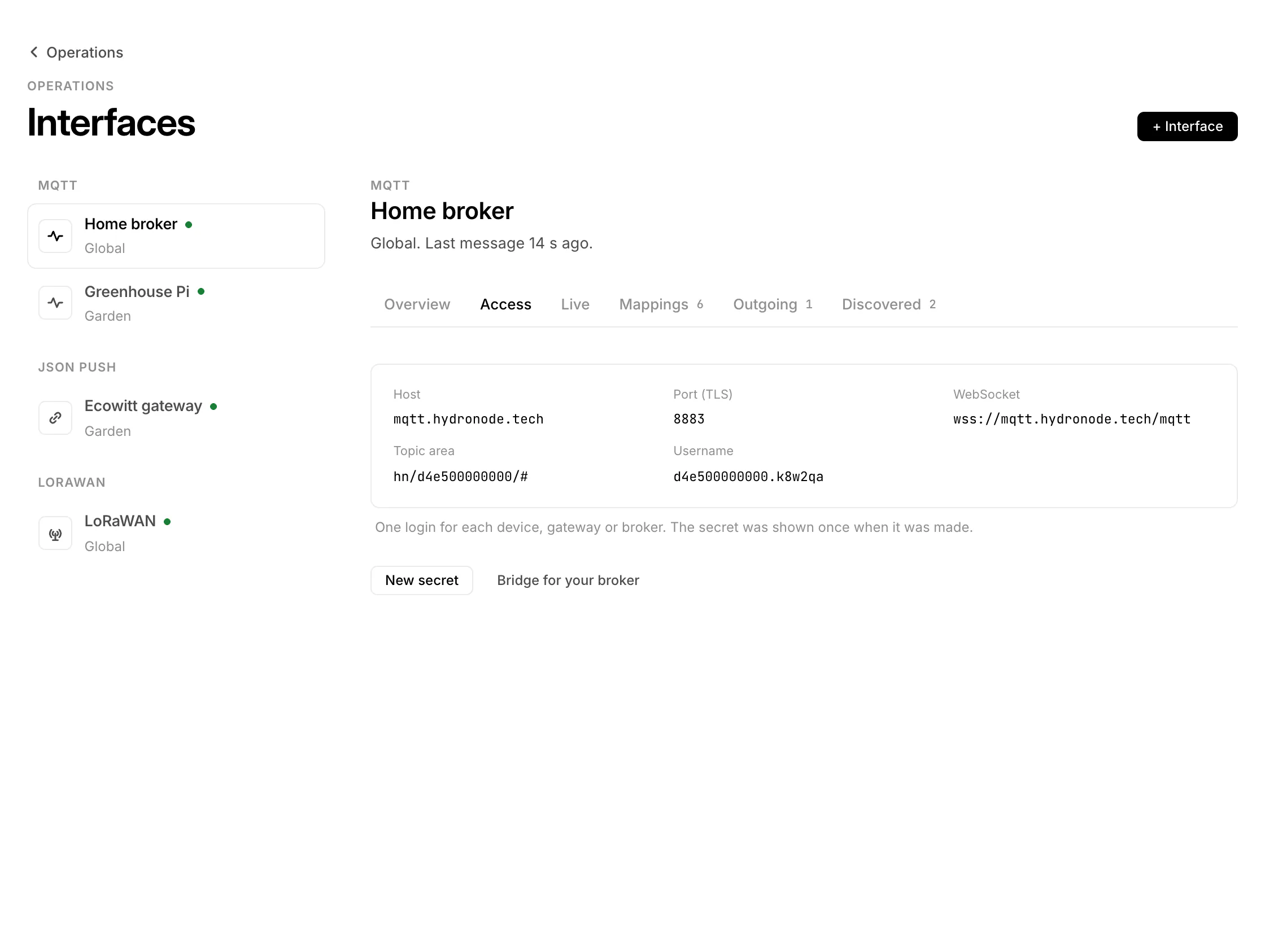
Zigbee2MQTT, Tasmota, Shelly, Home Assistant, Node-RED or your own broker publish to the HydroNode broker. HydroNode recognises the devices, you add them with one click and switch them back over MQTT. No signature, no library: the broker login is the key.
Get a broker login
- 1Add an MQTT interface+ › Sensor › MQTT, or + › Interface. Give it a name such as “Home broker” and choose where it applies: global or one project.
- 2Copy the secret nowHydroNode shows the username and the secret once. Lost it? New secret under Access makes a new one; the old one stops at once.
| Setting | Value |
|---|---|
| Host | mqtt.hydronode.tech |
| Port (TLS) | 8883 |
| WebSocket | wss://mqtt.hydronode.tech/mqtt |
| Username | <short>.<6 characters> |
| Protocol | MQTT 3.1.1 or 5, QoS 0 or 1 |
Your account owns the topic area hn/<short>/; the Access section shows yours. A login may only publish and subscribe inside it. HydroNode shows topics without this prefix: zigbee2mqtt/bed means hn/<short>/zigbee2mqtt/bed.
Point your device or broker at HydroNode
Directly: set host, port 8883 with TLS, username and secret, and put the topic area in front of the device's base topic. For Zigbee2MQTT that is base_topic, for Tasmota the full topic, for Shelly the MQTT prefix. A quick test from a shell:
mosquitto_pub -h mqtt.hydronode.tech -p 8883 --capath /etc/ssl/certs \
  -u '<username>' -P '<secret>' \
  -t 'hn/<short>/garden/env' -m '{"temp": 21.4, "hum": 55}'
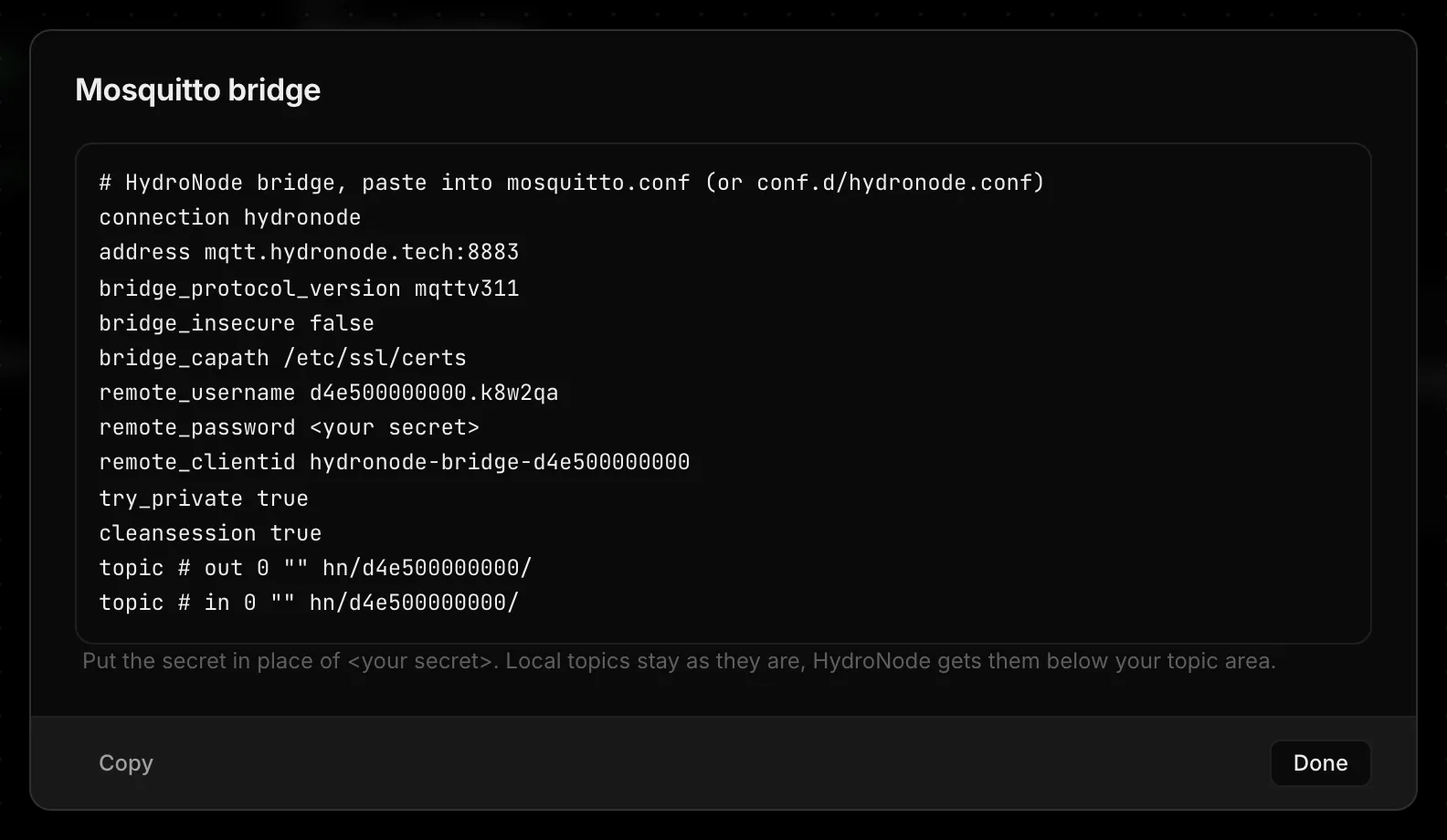
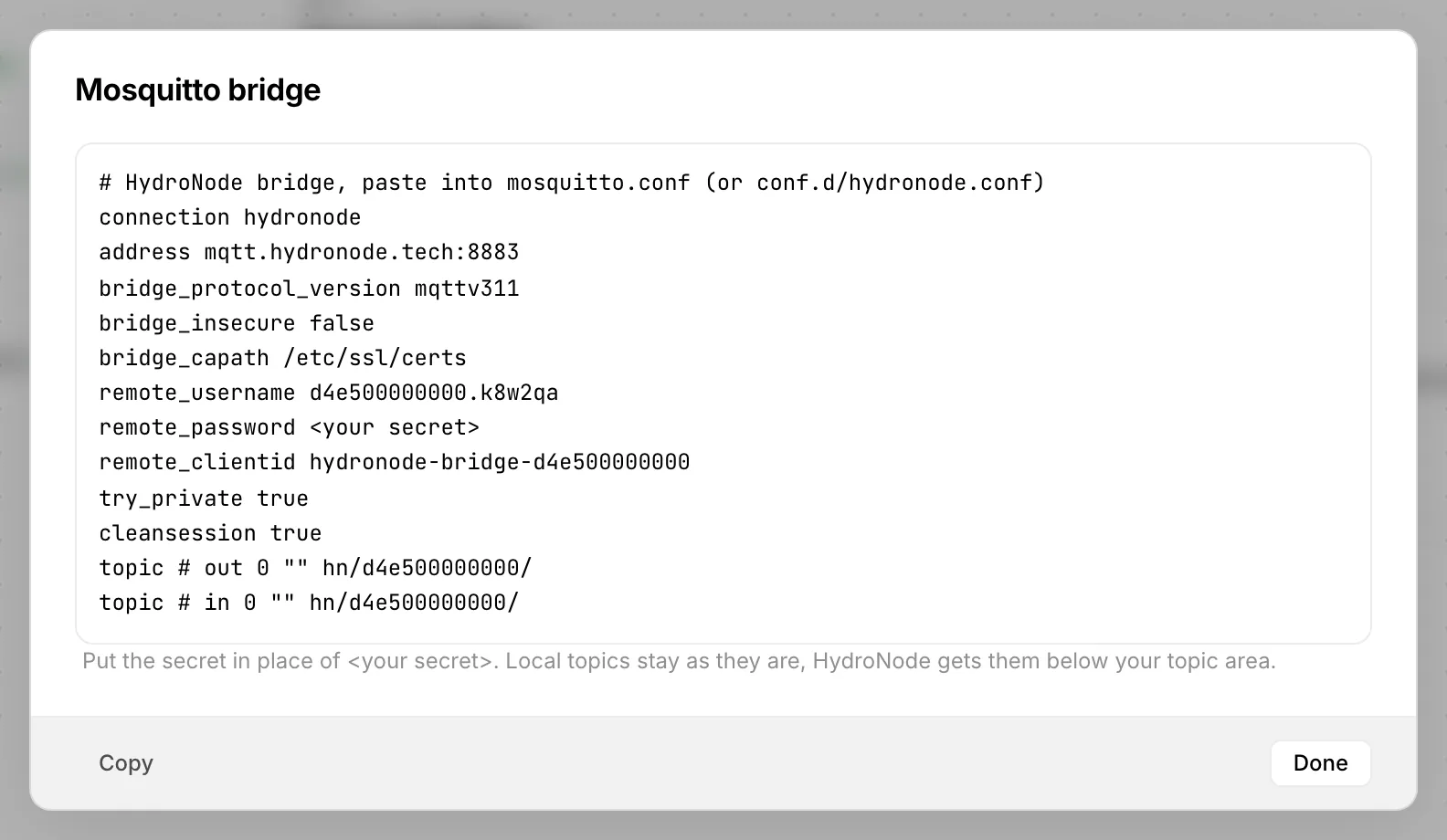
Through your own broker: Access › Bridge for your broker gives a ready block for mosquitto.conf. Your devices keep talking to the broker at home, which forwards their topics to HydroNode and takes the switch messages back. The secret is not in the block; paste it yourself.
The first message, then Add
Live of the interface lists every topic with its last payload. Zigbee2MQTT, Tasmota, Shelly and Home Assistant discovery are recognised as devices; any other topic with a value or a JSON object shows up as a device too. They appear greyed at the top of the project's sensor list and under Discovered, and you get a message “New device on Home broker”. Press Add, pick the pool and the values, done.
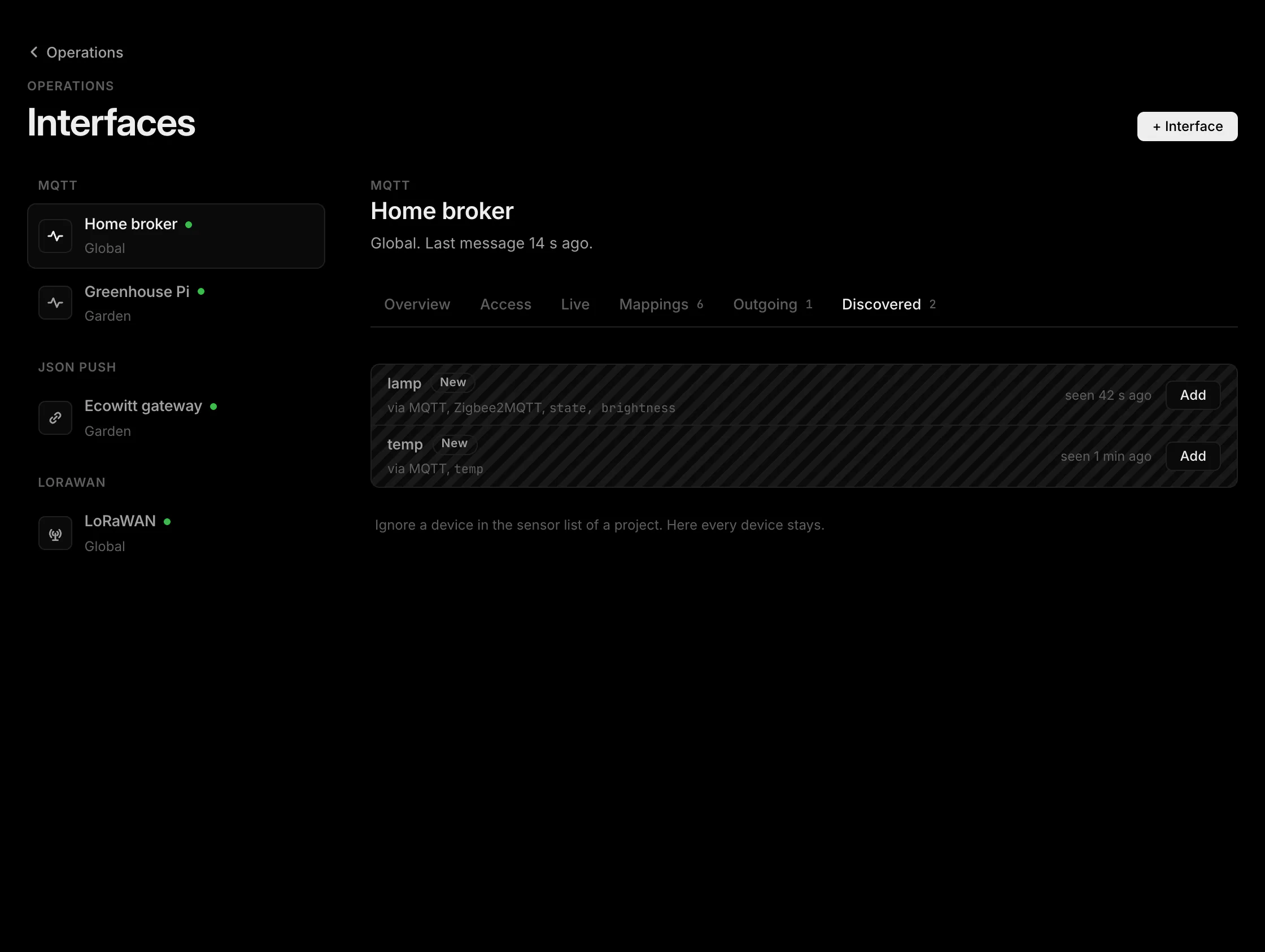
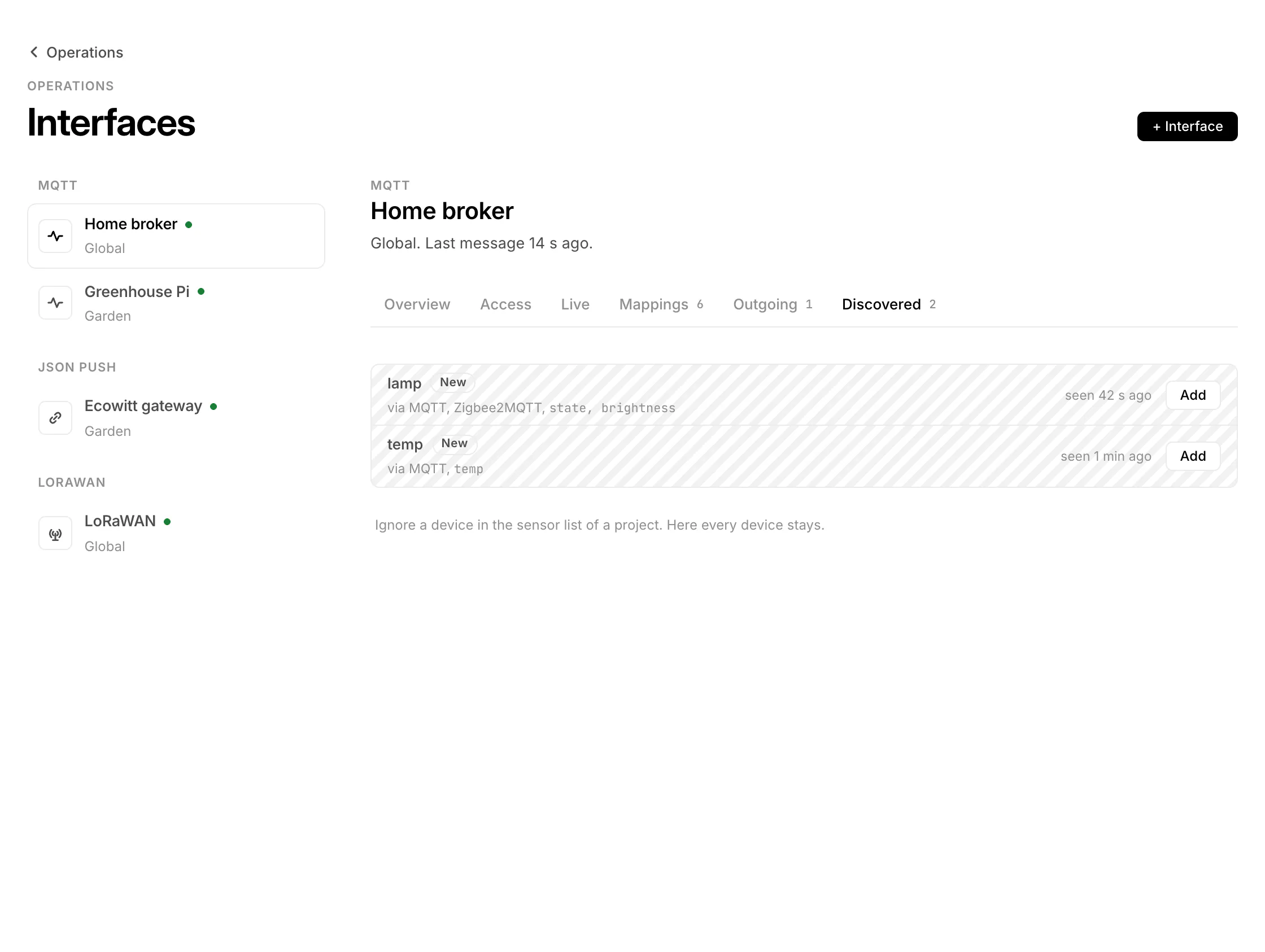
By hand: Map a field takes a topic (with + for one level and # at the end) and a field of the JSON payload. A payload that is not JSON, such as 21.5 or ON, is read as the field value. One field fills one data point.
Back to the device
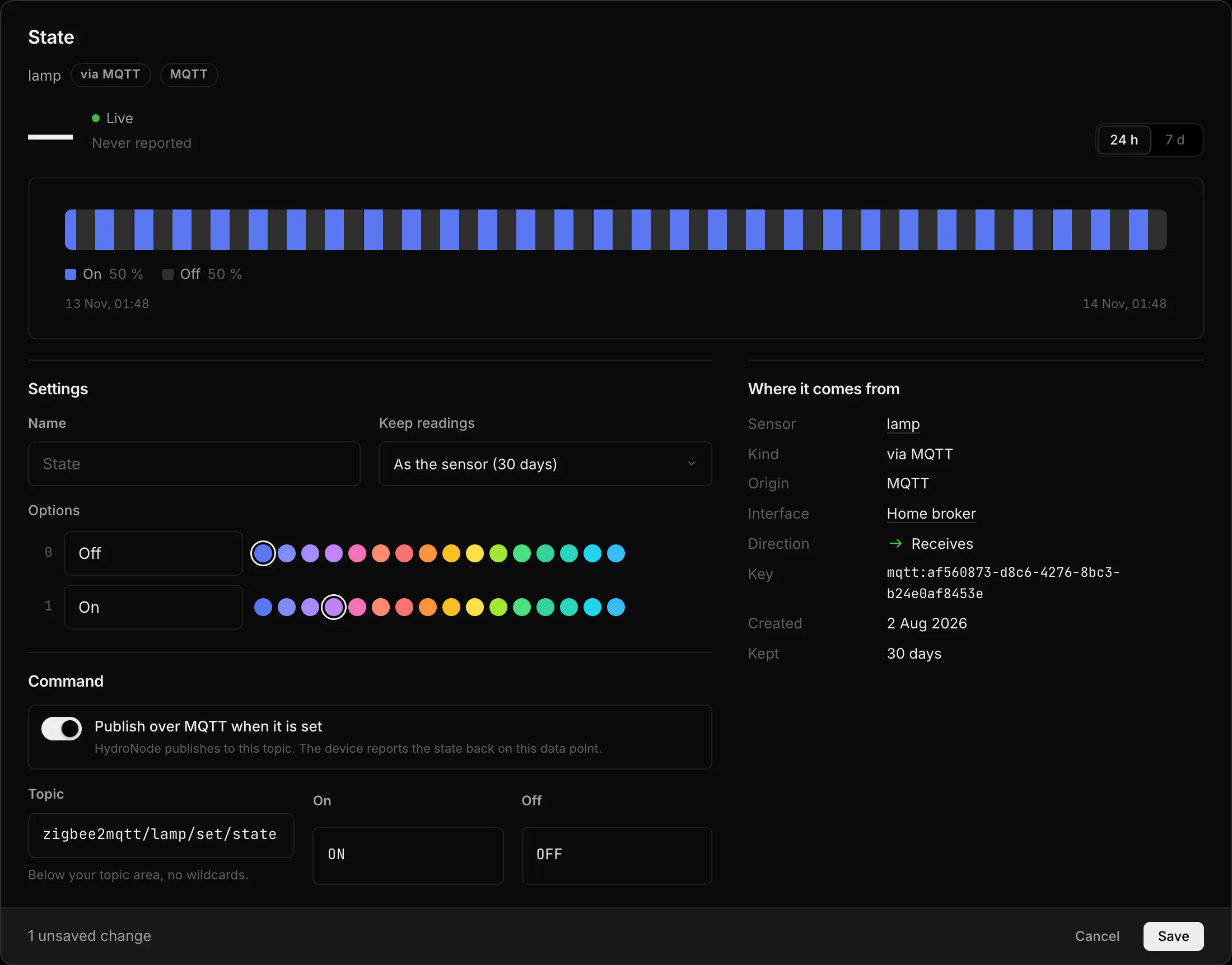
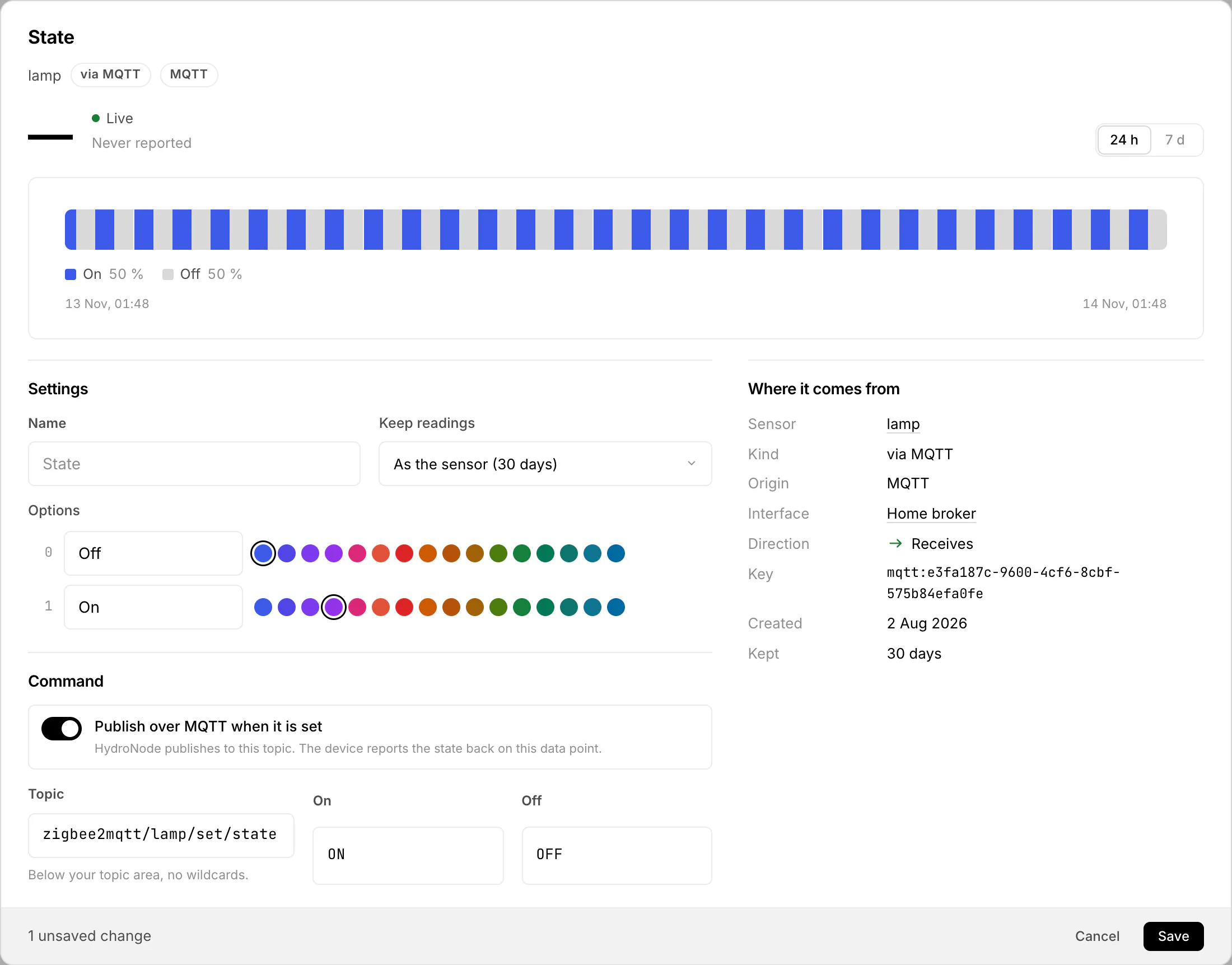
Known switches are settable as soon as you add them: Zigbee2MQTT state, Tasmota POWER, Shelly Gen1 relays and Home Assistant switches with a command topic. For anything else, open the data point and turn on Publish over MQTT when it is set with the topic and the payloads for on and off. HydroNode shows the new state as waiting until the device reports it; without a report within 2 minutes it reads The device did not report the new state. The console shows every publish.
What the broker takes
| Limit | Value |
|---|---|
| Messages | 600 per minute per account |
| Payload | 16 KB |
| Connections | 3 at once per login |
| MQTT interfaces | 5 per account |
Over a limit the message is dropped and the connection stays. Retained messages are kept in memory only; HydroNode never relies on them.