Integrations
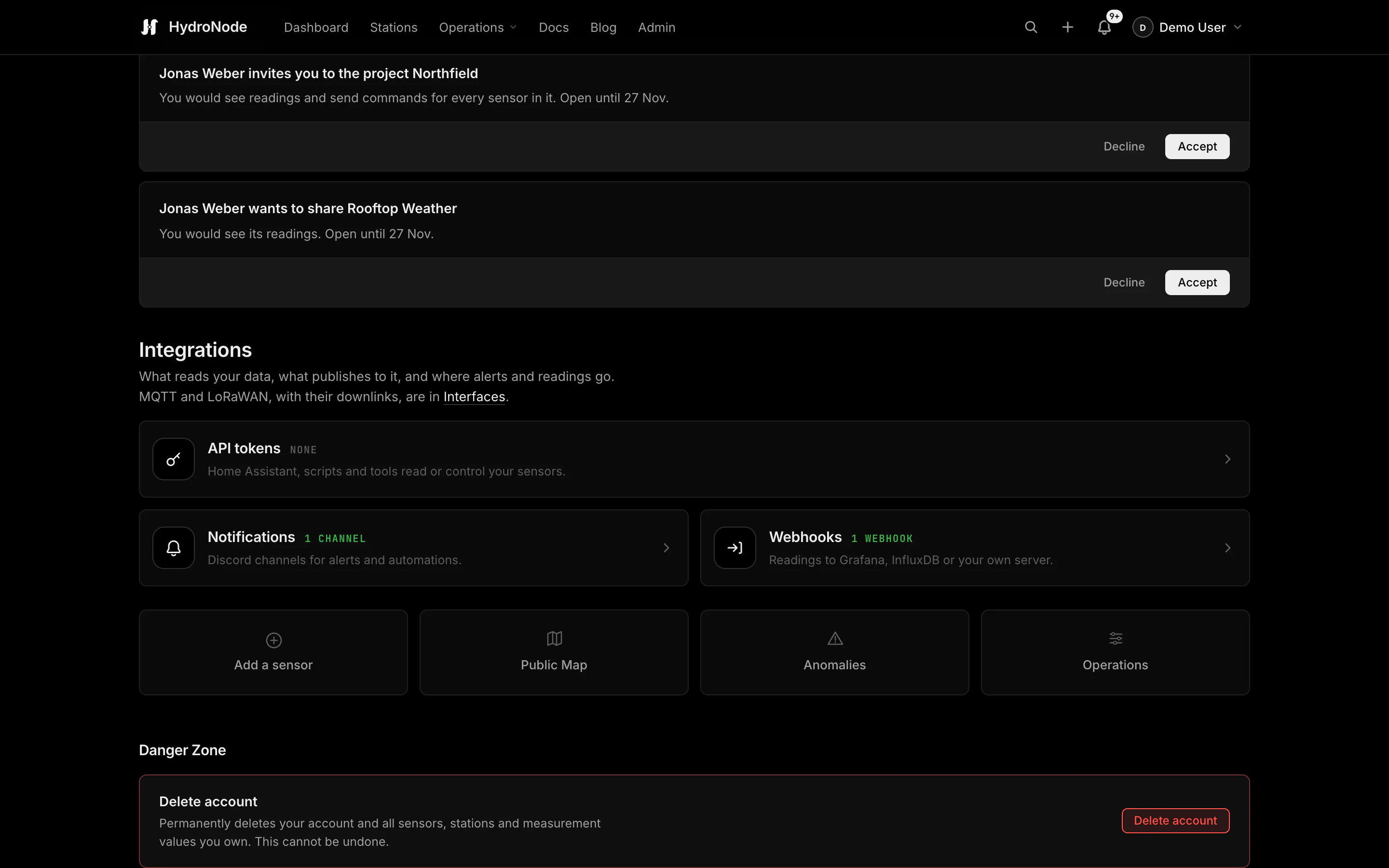
What reads your data and where your readings go: API tokens for Home Assistant and scripts, and outbound webhooks that stream readings to Grafana, InfluxDB or your own server. Open Profile › Integrations. Each tile opens its own window.
The tiles
| Tile | For |
|---|---|
| API tokens | Home Assistant, scripts and tools that read or control your sensors. |
| Notifications | Discord channels for alerts and automations, see Notifications. |
| Webhooks | Readings to Grafana, InfluxDB or your own server. |
Full access or read only
Add token and pick the kind. The token is shown once; HydroNode keeps only a hash.
| Token | Reaches |
|---|---|
| Full access (hat_) | Home Assistant and your own apps: read your sensors and control them. |
| Read only (hrt_) | A display or a script: the read API (latest values as plain text) and the read-only Home Assistant calls, nothing else. |
curl -H "Authorization: Bearer hrt_…" \
  https://hydronode.tech/api/read/v1/<sensorId>/TEMPERATURE
Native entities through HACS
- 1In Home Assistant open HACS › Integrations › ⋮ › Custom repositories.
- 2Add https://github.com/TexhFexLabs/hydronode-homeassistant as an Integration.
- 3Search for HydroNode in HACS, install it and restart Home Assistant.
- 4In HydroNode, Profile › Integrations › API tokens › Add token with full access. Copy it.
- 5In Home Assistant, Settings › Devices & services › Add integration › HydroNode, paste the token.
Values arrive within seconds over a WebSocket, with polling every 60 seconds as a safety net. Open anomalies and the newest analysis come along as events. Values you can set in HydroNode become switches, selects and numbers. More in the Home Assistant post. To send data from Home Assistant to HydroNode, use an MQTT interface.
Every reading to your server
The Webhooks tile adds up to 5 outbound webhooks. Each sends readings as they are stored, in bundles (after 10 seconds or 500 readings), as JSON or as Influx line protocol. Pick what it sends: all your sensors, projects, sensors or single data points. Access is checked on every delivery, so readings of a sensor you lost access to stop. Text values are not sent; on or off and choices go as numbers.
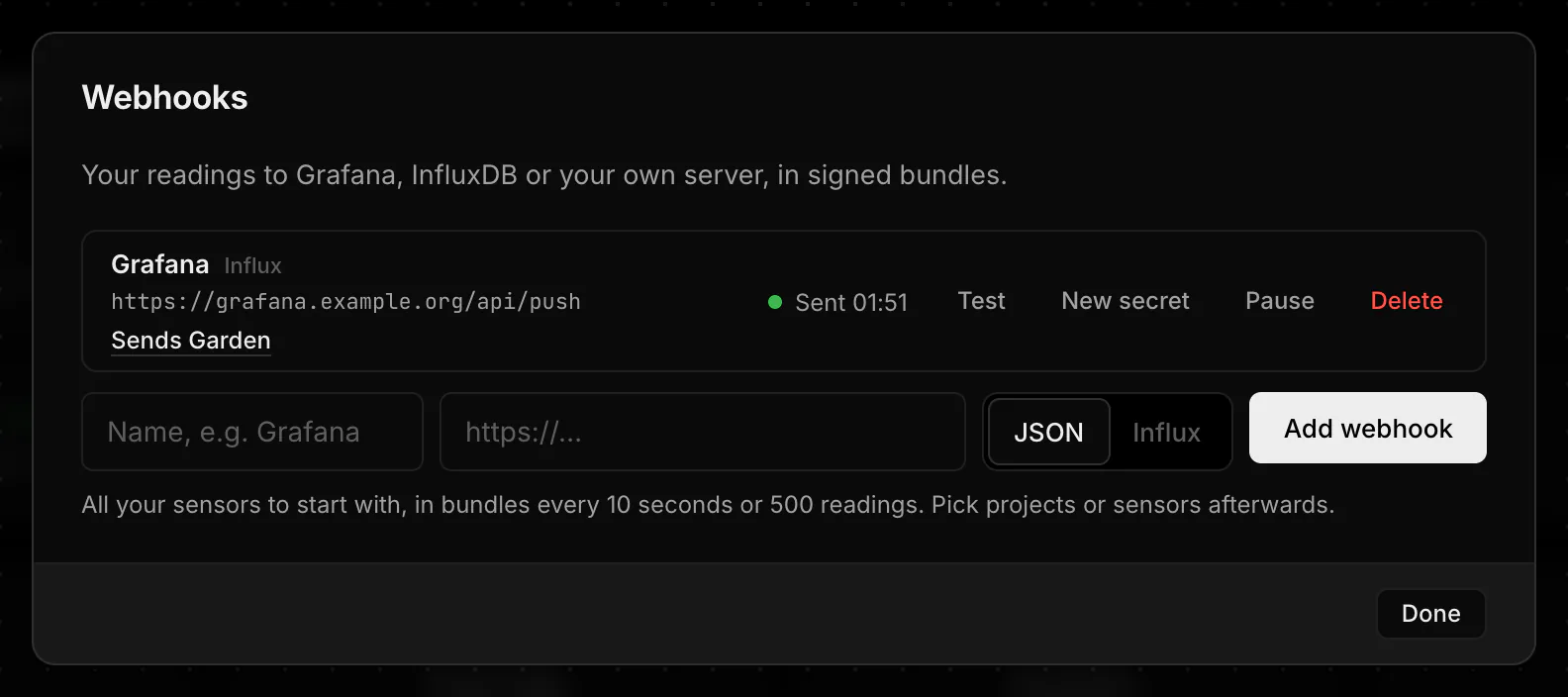
The URL must be public HTTPS; a query is fine (Influx needs one). The signing secret is shown once. Check each request with it and reject timestamps older than 5 minutes:
User-Agent: HydroNode-Webhook/1
X-HydroNode-Delivery: <deliveryId>
X-HydroNode-Timestamp: 2026-11-11T07:30:10Z
X-HydroNode-Signature-256: sha256=<hex HMAC-SHA256(secret, timestamp + "." + body)>
hydronode,sensor_id=6d1f…,sensor=Greenhouse,point_id=a4f2…,point=Temperature,type=TEMPERATURE value=21.4 1762846201000000000
A receiver that fails again and again turns the webhook to failing; switching it on again resets it. Test sends one bundle with a sample reading right away.