 HydroNode
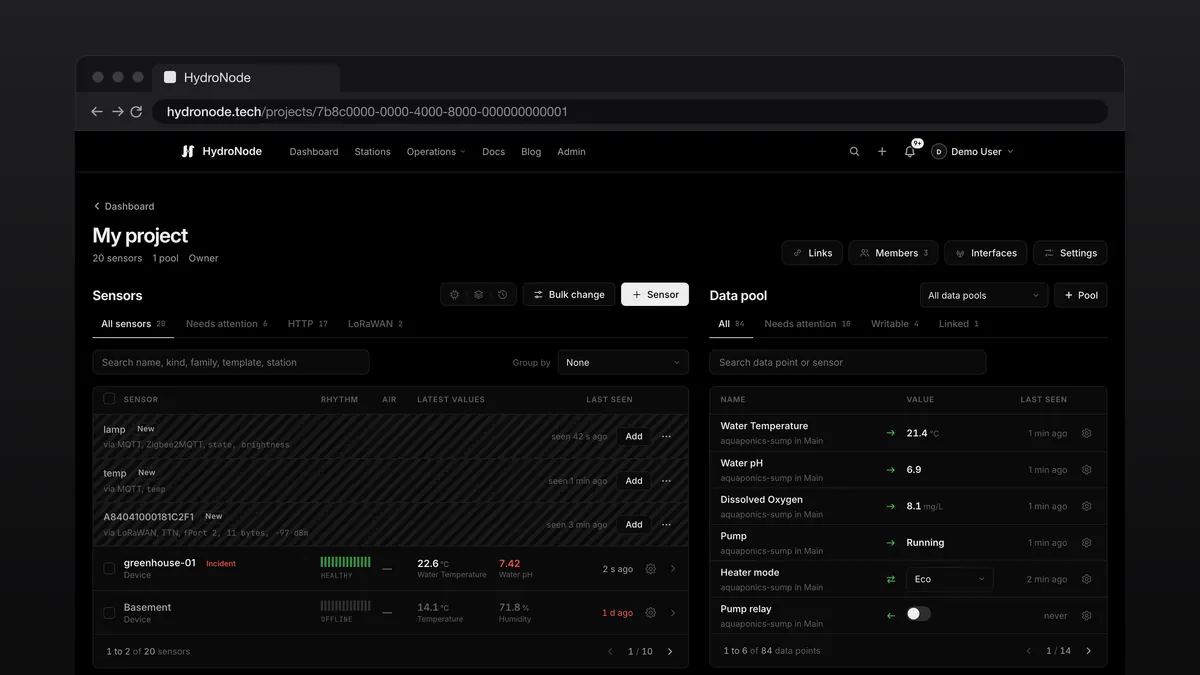
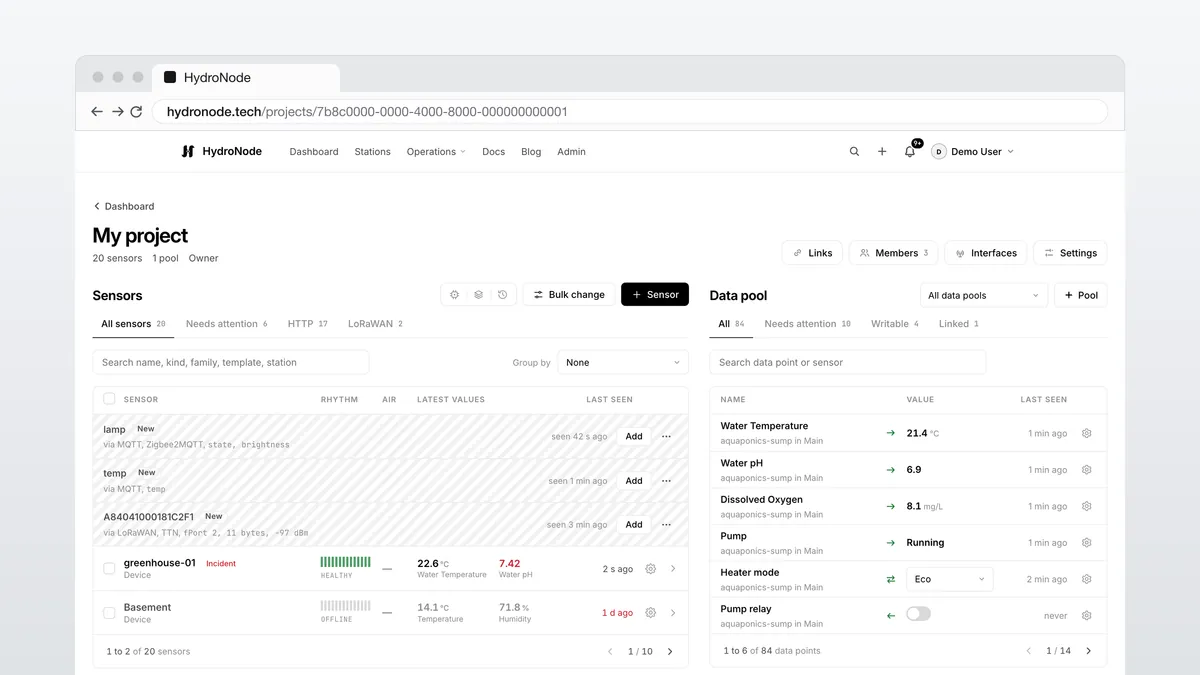
With five sensors a list is enough. With twenty in a greenhouse, a garden and a cellar it is not. Projects sort sensors, data pools sort their values, members get a whole project instead of single shares, and switches show the state the device really has.
Projects and data pools
Every account starts with My project and the pool Main. For most people that is all they need. The Dashboard lists your projects with their pools; a click opens the project page: the sensor list with Device builder, Templates and Job history on the left, the data pool with every value on the right.
Everything new comes from + at the top: sensor, interface, project, pool, member, link, automation. Opened from a project page, a new sensor goes straight into that project.
Members with View, Edit and Manage
Members invites someone into the whole project, also for sensors added later. The roles are the same as for sharing one sensor. Manage may do almost everything the owner does in the project: add sensors, see secrets, flash devices, set how long readings are kept, delete sensors. When a manager deletes a sensor or shortens how long readings are kept, the owner gets a message.
Values with a direction and a type
Every value is a data point. The arrow in front of it tells where it comes from: Receives, Receives and switches, Switches or Made in HydroNode. Its colour tells whether it is live, delayed or quiet. A device sends numbers; under Read as you show them as on or off, or as a choice with names and colours.
Switches with a real state
Where HydroNode may set a value, the sensor page shows Controls. Tap the new state, then pick when: Now, in 10 minutes, in an hour or at a time you pick, up to 30 days ahead. Until the device reports the value, the state reads waiting. If nothing comes, the old state stays, with the reason: declined by the device, not picked up, or no matching value reported.
- Your own sketch or ESPHome: report the state as a value and listen to a command of the same name.
- MQTT: known switches work right away, otherwise enter the topic and the payloads.
- No device: a manual value of a virtual sensor, such as a mode or a grow log.
Where to go next
- Projects and data pools, Data points and Controls in the docs.
- Roles in detail: Sharing, members and roles.
- Devices without a library: Interfaces for MQTT, JSON push and LoRaWAN.